
Introduction: Quotes in Salesforce and Document Structure Challenges
A quote in Salesforce is a key output of the revenue process. It converts structured data such as products, pricing, and customer details into a document shared with the customer for review and approval.
At this stage, the challenge is not data quality. Salesforce already manages pricing and product logic in a structured way. In fact, some CPQ implementations report up to a 90% reduction in quoting inaccuracies after moving from manual quoting processes to structured configuration-driven quoting models. The challenge appears when this data must be presented in a consistent and readable document format.
Quote documents are expected to support different sales scenarios. These include standard product sales, bundled offerings, renewals, and service-based deals. While the underlying data remains consistent in Salesforce, the required document structure can change depending on the sales motion.
This creates a structural challenge. The same quoting setup must support multiple output formats while keeping documents consistent, maintainable, and scalable over time. As requirements grow, the focus shifts from generating a quote to managing how quote documents are structured across the organization. At this point, flexibility, consistency, and long-term maintenance become key factors in how quoting is implemented.
The next section looks at the main ways quote documents are created in Salesforce and how a CPQ software can handle structure, adaptability, and ongoing effort required to keep templates aligned with business needs.
Approaches for Creating Quote Documents in Salesforce
There are several ways in Salesforce to generate quote documents, depending on how templates are designed and how they behave when business requirements evolve. The main difference between approaches is how the document template is defined and how easily it can adapt when business requirements change.
In fact, according to the research, Cloud-based CPQ solutions continue to dominate the market, accounting for approximately 59% of total deployment share, driven by scalability, lower infrastructure overhead, and easier integration with enterprise systems such as CRM and ERP platforms.
Below are the main options that can be used:
1. Standard Quote Templates
This approach uses native quoting with Quote Templates.
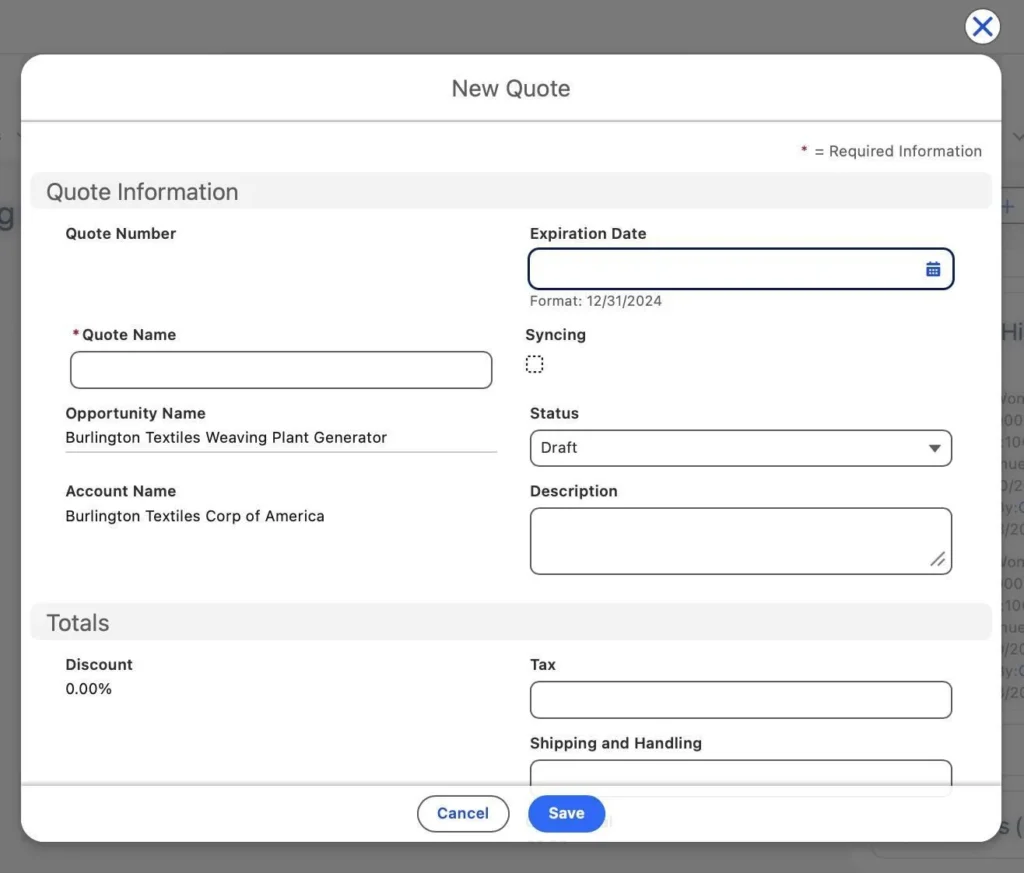
Creating a new Quote
Quotes are typically created from the Opportunity record together with its products and pricing information. When a quote is generated, Salesforce uses a quote template to organize Opportunity and Quote data into a structured PDF document. The template controls how fields, quote line items, totals, and text sections appear in the final output.
The structure is controlled through template configuration, where admins define which data points appear and how they are grouped in the document.
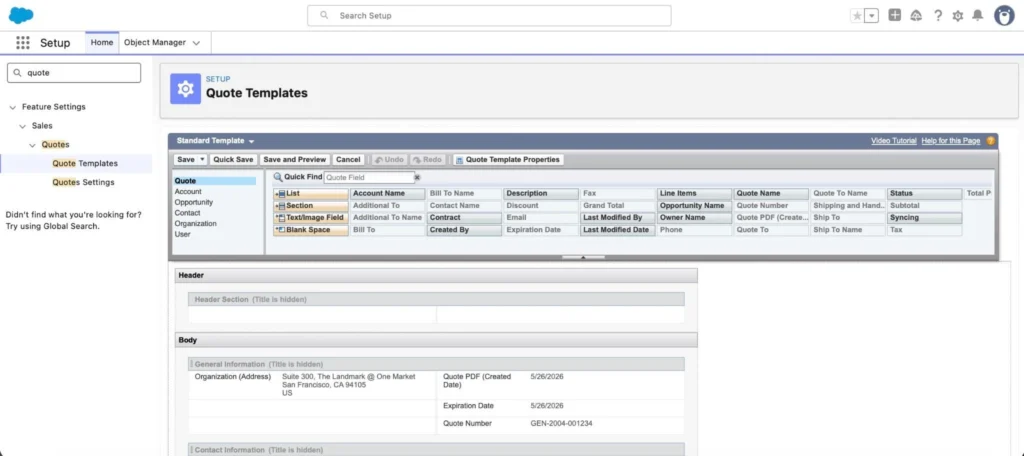
Quote Templates
Pros:
- Fast setup using standard Salesforce configuration,
- Fully native to Salesforce,
- Quotes are created from Opportunities and populated from Opportunity Products,
- Suitable for straightforward quoting processes with a stable document structure.
Cons:
- Limited control over complex or dynamic layouts,
- Managing multiple quote formats often requires additional templates,
- Advanced document logic may require custom development or external tooling,
- Template maintenance becomes more difficult as document variations increase.
2. Salesforce Revenue Cloud (now Agentforce Revenue Management)
This approach uses a quote template in Salesforce CPQ / Revenue Cloud generation capabilities built around cloud data and related pricing records.
Quote documents are generated from templates that use configurable blocks such as sections, tables for line items, grids, and rich text areas. These blocks pull data from the Quote, Quote Line Items, Products, and related pricing structures.
Templates are assembled dynamically based on configuration rules that define visibility, grouping, and layout behavior. These rules determine how data is structured in the final document, including how line items are grouped and which sections are shown under specific conditions.
Compared to basic quoting outputs, Salesforce CPQ configure price quote in Revenue Cloud provides a more advanced document generation layer specifically designed for structured commercial documents rather than static templates.
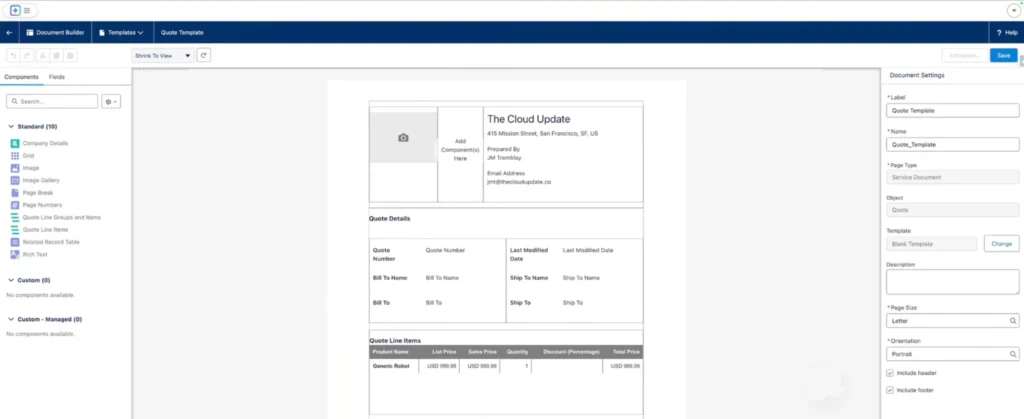
Document Builder in Revenue Cloud
Pros:
- Strong support for complex quoting structures (bundles, grouped products, pricing breakdowns),
- Reusable template components across multiple documents,
- More control over layout logic and conditional visibility,
- Better alignment with complex revenue models.
Cons:
- Higher configuration complexity,
- Requires specialist Salesforce CPQ / Revenue Cloud expertise,
- Longer time to implement due to process and structure alignment needs,
- Higher licensing and platform costs depending on Revenue Cloud components,
- Structural changes can affect multiple templates and outputs.
3. Native to Salesforce CPQ Solutions from AppExchange
This approach uses Salesforce-native applications from AppExchange (now AgentExchange) that extend quote document generation capabilities.
These solutions operate on top of Salesforce data and standard objects such as Opportunities and Products, while adding additional flexibility in how documents are designed and maintained.
They typically introduce a more modular or visual way of managing templates compared to standard configuration-driven approaches.
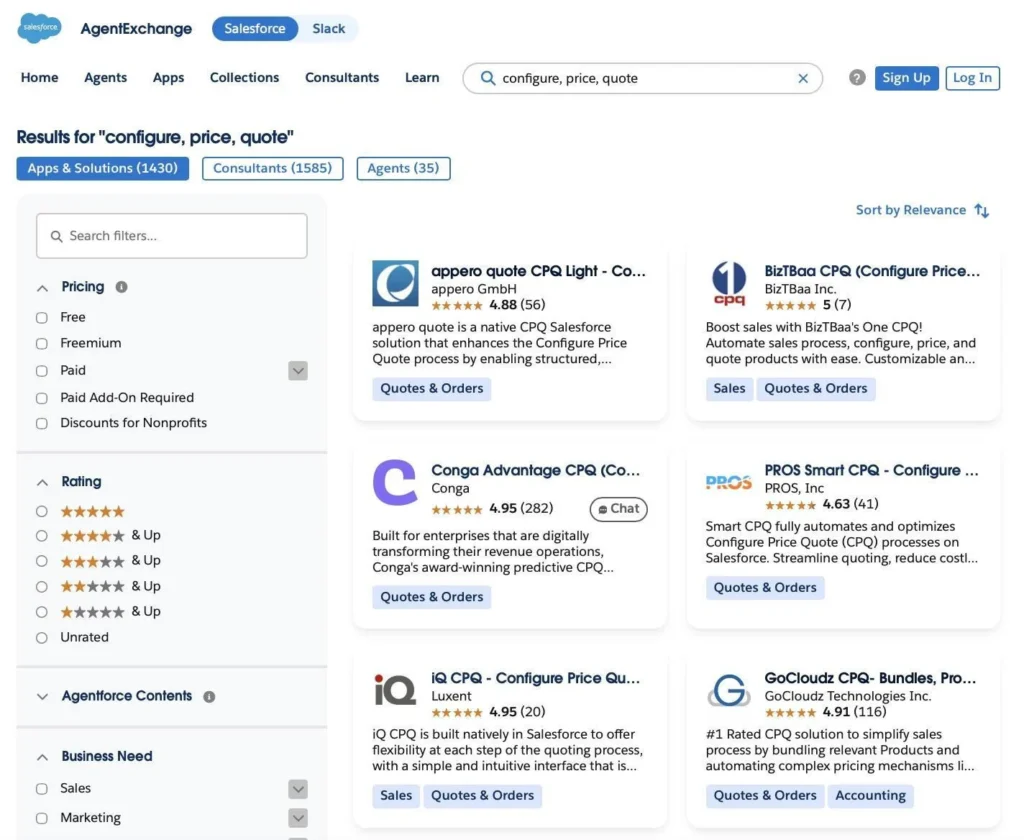
CPQ solutions on AppExchange
Pros:
- Higher flexibility in document structure and layout design,
- Easier management of multiple template variations,
- Reduced dependency on template duplication,
- Faster adaptation to changing business requirements.
Cons:
- Additional learning curve for setup and maintenance,
- Capabilities depend on the specific product, meaning document logic, automation options, and customization depth can differ between solutions.
Getting Ready to Create Salesforce CPQ Quote Templates
Before a Salesforce CPQ quote document is built, the structure of the document must already be clear. The system does not define the business logic, it only translates it into a formatted output. If the structure is unclear, the result will always be inconsistent and difficult to maintain.
Here is a preparation table that you can use:
| Preparation Before Template Configuration | ||
|---|---|---|
| Step | What needs to be defined | Why it matters |
| 1. Define quote purpose | What the quote represents (sales offer, renewal, order confirmation). | Sets overall document logic and depth of information. |
| 2. Define core content | What is being sold, pricing approach, and applicable conditions. | Ensures no missing commercial elements in the final document. |
| 3. Define document structure | Main sections such as header, products, pricing, and terms. | Creates consistent layout across all templates. |
| 4. Align data sources | Which Salesforce objects and fields will be used (Opportunity, Product, pricing fields, etc.). | Prevents mismatch between data and document output. |
| 5. Define business rules | Grouping logic, conditional visibility, regional or product rules. | Controls dynamic behavior of the template. |
| 6. Define branding rules | Fonts, logo placement, styling, legal formatting. | Ensures consistent customer-facing output. |
| 7. Prepare test cases | Sample quotes with different products, discounts, and scenarios. | Validates real output before production use. |
Step-by-Step: Creating Salesforce CPQ Quote Template
As discussed earlier, standard Salesforce quote generation often becomes restrictive when document structure, branding, multilingual support, or advanced product presentation are required. Revenue Cloud can address some of these requirements, but it also introduces additional implementation complexity and cost. One alternative is using a dedicated Salesforce CPQ tool from the AppExchange.
During the initial review of the available quote generation software for Salesforce on AppExchange, appero quote appeared as one of the Salesforce-native options focused specifically on quote creation. The application is designed to support CPQ-style quoting directly inside Salesforce, combining product configuration, pricing logic, discount calculation, and visually configurable quote templates.
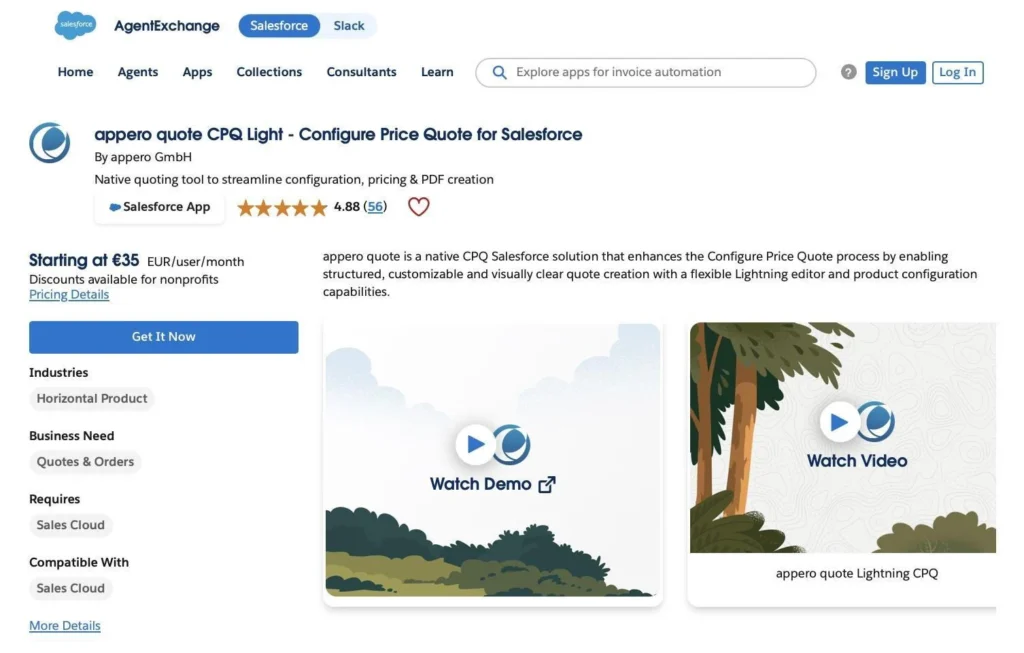
appero quote on AppExchange
The real value is in the way users interact with the document. Instead of working through abstract configuration screens and waiting for output generation, users work directly inside the actual quote layout with a real-time preview of the final document. Every change in pricing, text, or design is immediately reflected in the output, making the document itself the central working space.
This reduces the gap between configuration and result and removes the “blind setup” often seen in CPQ tools. The experience feels closer to modern document editing tools like Word or Google Docs, while still being fully powered by Salesforce data models underneath.
The platform focuses primarily on creating structured and visually branded quote documents using Salesforce Quote, Product, and Price Book data. It supports features such as dynamic pricing rules, product grouping, multi-currency setup, and reusable template configuration.
Salesforce CPQ Quote Generation with the Quote Template Wizard
For faster setup, appero quote also includes a guided Template Wizard that walks administrators through the configuration process step by step.
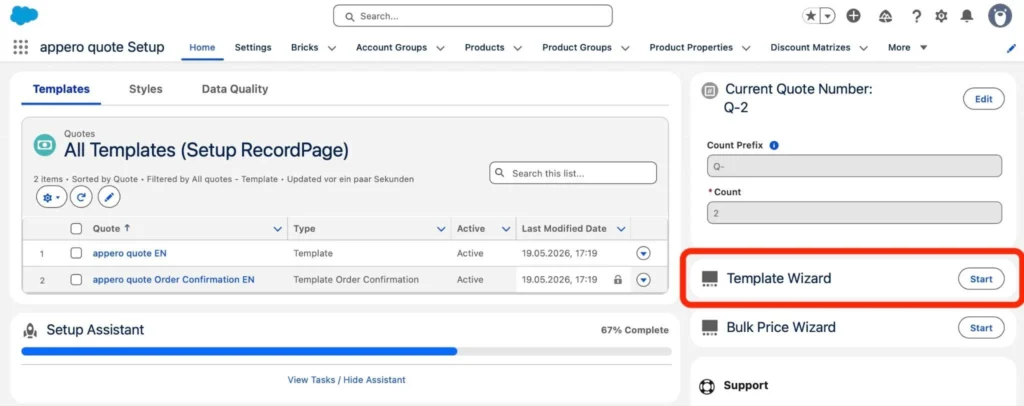
appero quote Template Wizard
The wizard starts with several Salesforce CPQ quote templates out of the box optimized for different scenarios, including:
- Compact quote formats,
- Product-heavy layouts with grouped sections,
- Landscape-oriented structures for detailed pricing tables.
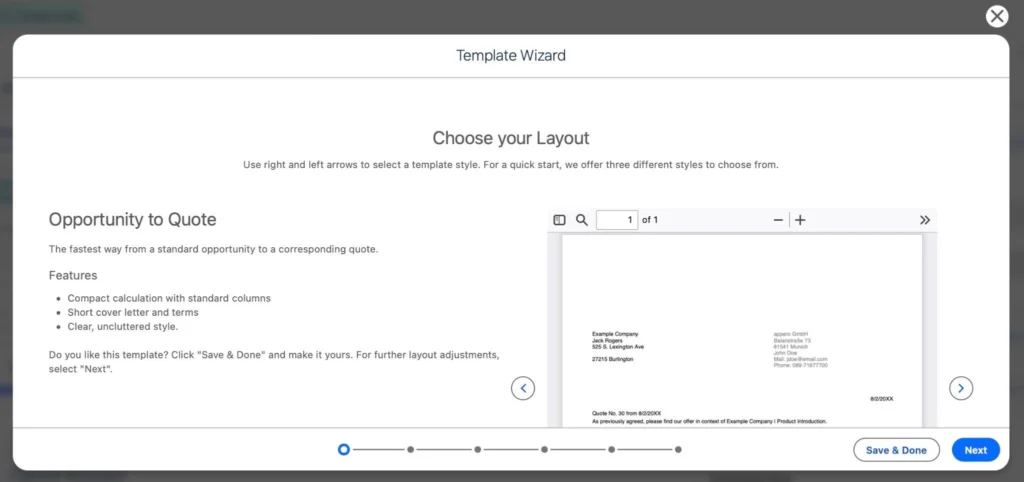
Choose the Layout
After selecting a starting layout, the administrator can refine the template through multiple configuration stages.
1. Adjusting formatting and visual structure.
The wizard supports visual customization of:
- Typography,
- Colors,
- Alignment,
- Borders and spacing,
- Section formatting.
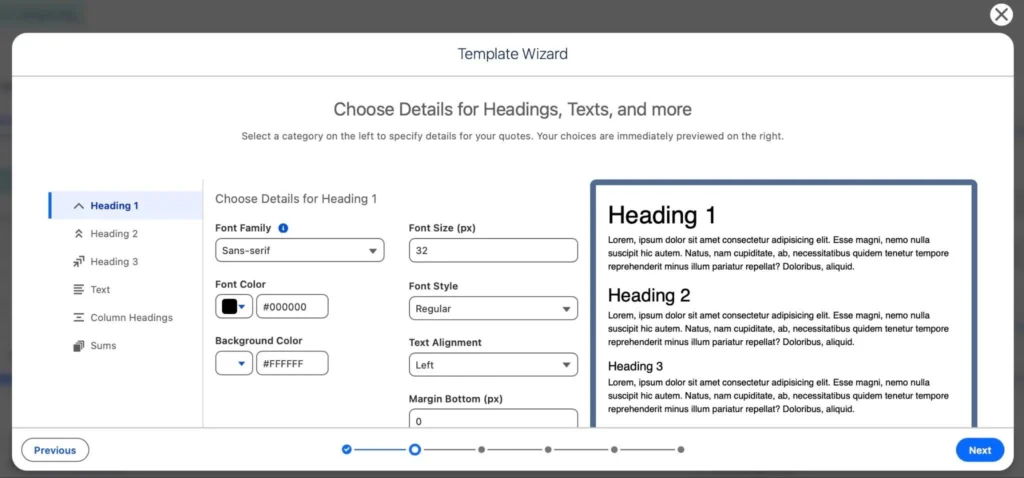
Choose details for headings and more
All updates are reflected immediately in the preview area during configuration.
2. Selecting product and pricing information.
The next step focuses on defining which Quote Line Item details should appear in the document.
This can include:
- Product identifiers and descriptions,
- Quantities and pricing values,
- Discount fields,
- VAT information,
- Service-related fields.
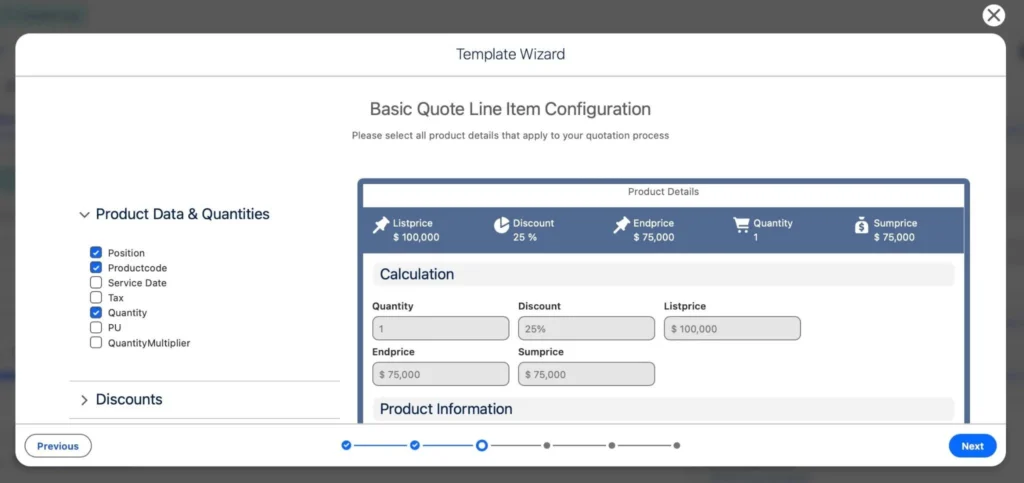
Configure product and pricing information
The wizard includes commonly used columns by default, while additional fields can still be configured later in the editor.
3. Controlling column layout.
Administrators can then define how quote columns behave inside the generated PDF:
- Display order,
- Visibility,
- Width allocation,
- Text alignment.
The configuration screen validates whether the selected columns fit within the document width before allowing the template to proceed.
4. Structuring document content with product groups.
A key capability for managing complex quote scenarios is Product Groups. Sections in the template can be automatically shown or hidden based on product group assignments in the quote. This allows a single template to support different sales scenarios without duplication and enables more precise control over layout variations across product types.
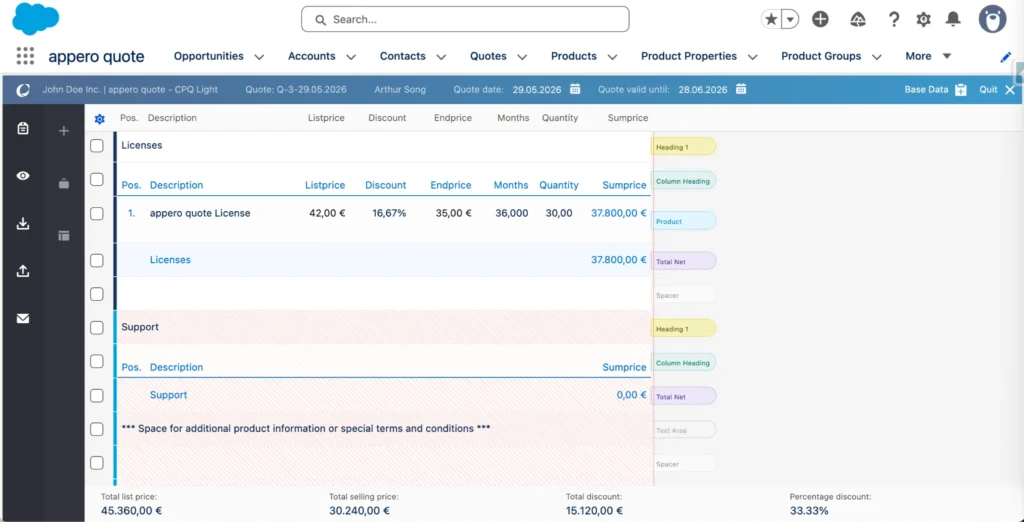
Structuring document content
For example, different sections can use different column structures, such as adding quantity fields for subscription products while keeping service or support sections more simplified.
A short walkthrough video is also available, showing how Product Group logic works directly in the template editor.
5. Adding branded background assets.
The wizard also supports Salesforce CPQ quote templates customization through uploaded background assets for:
- Cover pages,
- Following pages.
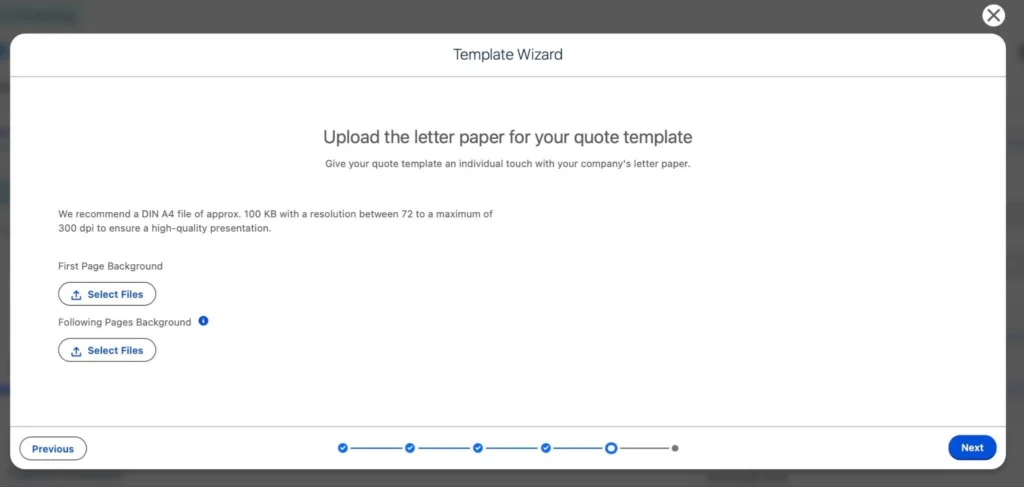
Upload the letter paper for the quote
These backgrounds become part of the generated quote PDF output.
6. Final review and template generation.
At the end of the process, the template is generated and previewed as a PDF. Additional refinements can still be made afterward inside the Lightning Editor, including advanced styling and Product Group behavior.
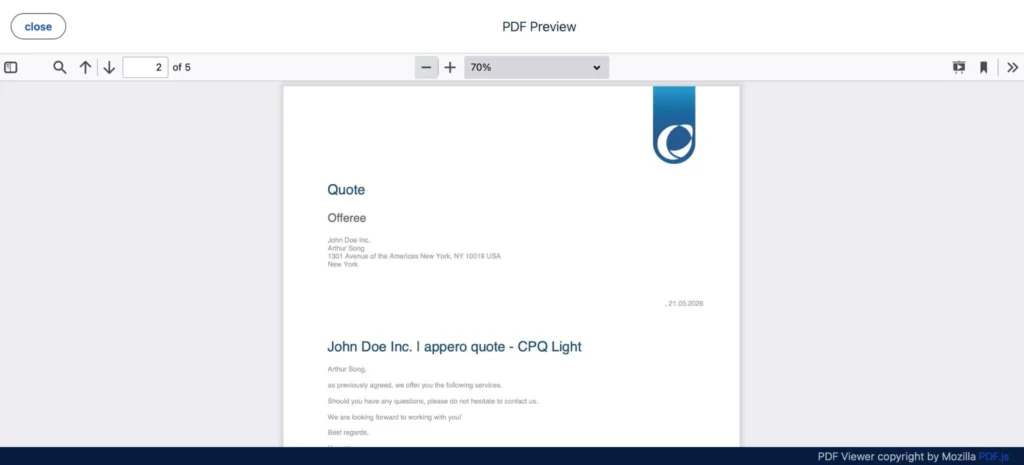
Quote preview
The wizard-based approach is generally faster for initial onboarding, while the editor-driven approach provides more detailed control over document structure and reusable quote logic.
Key Takeaways: Choosing the Right Approach for Salesforce Quote Templates
Salesforce offers several ways to generate quote documents, from standard templates to Revenue Cloud and AppExchange tools. All approaches convert Salesforce data into customer-ready documents, but they differ in flexibility, complexity, and maintenance effort.
Standard templates work well when the document structure is simple and stable. Revenue Cloud supports more advanced, rule-driven document generation for complex pricing models, but requires higher implementation effort and specialist setup.
AppExchange solutions such as appero quote sit somewhere in between. They focus on template-driven document design directly inside Salesforce and give more control over layout, grouping, and formatting while still working with standard Salesforce objects. This often reduces the need for custom development and makes ongoing adjustments easier.
In the end, the right choice depends on how often quote formats change, how many variations are needed across the business, and how much effort you want to invest in maintaining the setup over time.