

What is a Salesforce Scheduling Tool?
A Salesforce scheduling tool enables sales and service teams to book, route, and track meetings directly within or alongside Salesforce CRM. These tools range from fully native AppExchange apps that create standard Salesforce Event records inside the org, to external scheduling platforms that sync meeting data back into Salesforce after booking.
Why Scheduling Inside Salesforce Remains Complex
As companies scale in Salesforce, scheduling starts to take more time and effort than expected. Leads come from different sources, sales reps handle more volume, and a growing part of the day goes into arranging meetings and keeping records updated. At the same time, teams need visibility into what is actually happening: booked meetings, cancellations, reschedules, and outcomes.
Research from Salesmotion shows that sales reps spend only around 28% of their time on direct selling (calls, meetings, demos). The remaining time is distributed across CRM work and data entry (17%), scheduling and logistics (12%), and other internal activities.
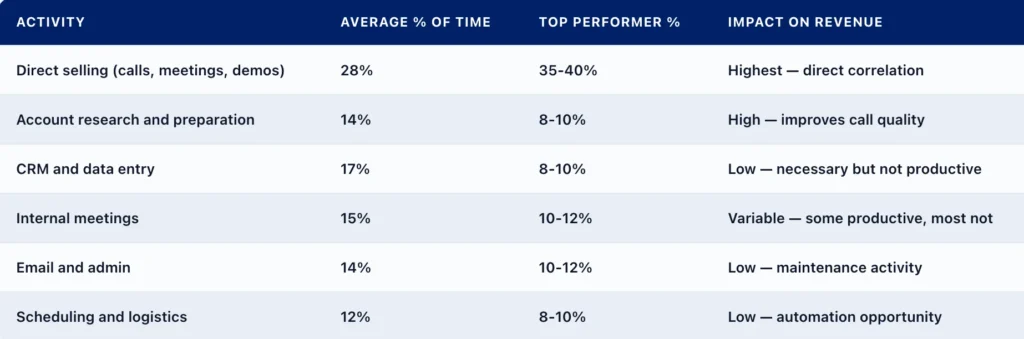
How top reps spend their day, image from Salesmotion
One of the most common ways companies try to reduce this overhead is by automating CRM updates, for example, automatically logging calls, emails, and meetings into Salesforce records. In practice, this can reduce CRM administration effort by roughly 30–50%, depending on how well activity capture and integration are implemented.
Scheduling inside Salesforce is not a single step. It usually touches several standard areas such as lead assignment rules, calendar integration with tools like Google or Outlook, and activity tracking for meetings and follow-ups.
This is why companies start looking for Salesforce scheduling software: to reduce manual work, improve consistency in routing, and make meeting data easier to trust for reporting.
This article will look at the main Salesforce meeting scheduling tools available on the market and compare how they perform in real Salesforce environments. In particular, we will highlight how a meeting scheduler performs in terms of setup experience, routing behavior, integration depth, and day-to-day usability.
How to Approach the Selection: What Actually Matters
Choosing a Salesforce booking system is not just about comparing feature lists.Features and functionality define whether the tool supports your use case and how your team goes to market, but how it fits into existing system behavior and daily operations is just as important. In practice, four areas usually define whether a tool works well or becomes a long-term maintenance issue.
- Where the logic runs: Some tools operate directly inside Salesforce using standard objects and platform automation. Others run externally and sync data back through APIs. This affects the consistency of data, dependency on integration, and how well the tool works with Flow or existing CRM processes.
- Routing behavior: In simple setups, meetings are linked directly to record ownership. In more complex environments, routing depends on conditions such as territory, product, or lead qualification rules. The ability to handle these scenarios consistently often determines whether the tool scales with the business.
- Calendar handling: Integration with Google or Outlook calendars, real-time availability updates, and timezone accuracy are critical. If calendar sync is delayed or incomplete, it leads to incorrect booking slots and manual adjustments in Salesforce.
- Meeting integration: Reliable integration with tools like Zoom, Google Meet, or Microsoft Teams is just as important. If meeting links are not generated or synced correctly, it breaks the booking flow and creates friction for both users and customers.
- Onboarding and access model: Some tools can be installed and tested directly in a Salesforce environment. Others require vendor involvement, demos, or approval before access is granted. This directly impacts how quickly a team can validate and adopt the solution.
Top 5 Salesforce Scheduling Tools: What the Evaluation Revealed
To identify the most relevant solutions, we reviewed widely used scheduling tools across the market, including products listed on AppExchange and commonly adopted external platforms.
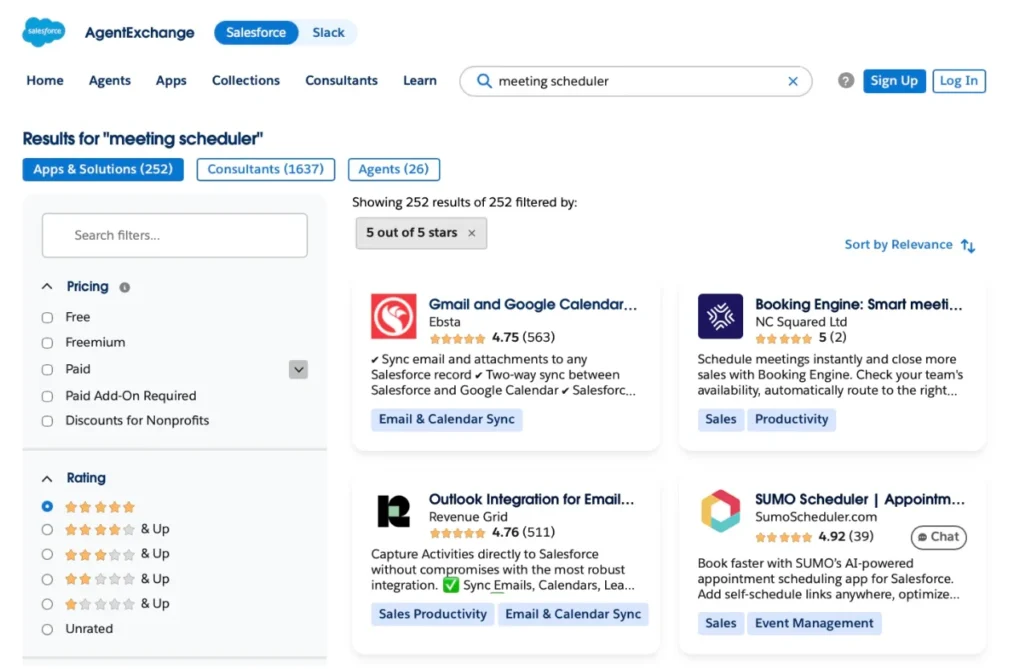
Meeting schedulers on AppExchange
We looked at how these tools work in Salesforce and support Salesforce meeting scheduling in practice: how easy it is to get started, how routing behaves, how calendars are handled, and how usable the tools are day to day.
Based on this, we selected five solutions that represent the main approaches to scheduling in Salesforce and highlight the key trade-offs to consider.
Here’s a quick overview of what Salesforce Scheduling tool is right for you and your business:
Booking Engine best for: Salesforce-focused teams that want simple, fast scheduling with minimal setup and low operational overhead.
Chili Piper best for: High-volume inbound teams where speed-to-lead and lead routing are the priority.
Calendly best for: Individual contributors and lightweight sales teams that need simple external meeting scheduling.
Salesforce Scheduler → Best for: Enterprise or Unlimited edition orgs with structured, service-oriented appointment management.
SUMO Scheduler → Best for: Enterprise environments requiring vendor-guided implementation of embedded CRM scheduling.
Read on as we go over these options in detail with pricing, key features and limitations.
1. Booking Engine: Smart meeting scheduler
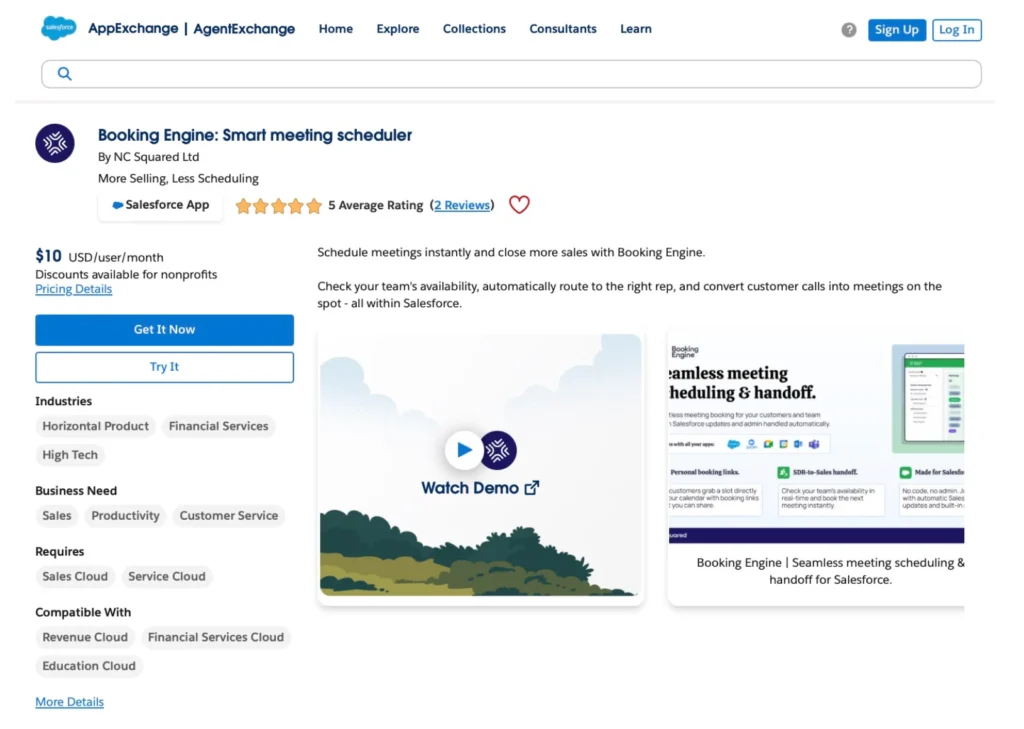
Overview:
Booking Engine is a Salesforce-native scheduling app designed to handle meeting booking directly inside the CRM. It works with standard Salesforce objects such as Leads, Contacts, Cases, and Opportunities, allowing meetings to be created directly in the context of CRM records.
It supports key scheduling use cases, including personal booking links for individual reps and team-based handoffs, where meetings are routed or reassigned between users. The scheduling process is handled inside Salesforce, while calendar synchronization and meeting invites are managed through connected external calendars. This keeps data aligned with existing automation, reporting, and ownership rules.
The app stands out for how easy it is to get started. It can be installed and configured without vendor involvement, which makes it one of the fastest tools to test and deploy. Compared to other solutions, it requires less setup effort while still covering core scheduling needs.
Key Features:
- Native Salesforce scheduling on Leads, Contacts, Cases, and Opportunities
- Works inside Salesforce CRM with no separate system required for core scheduling
- Integration with Google and Microsoft Outlook calendars, plus Zoom and Teams
- Automated creation of Salesforce Event records with meeting details
- Support for routing scenarios, including round robin, ownership-based, and territory-based assignment
Pros:
- Fast setup with no dependency on vendor onboarding
- Fully Salesforce-native, no sync delays or data duplication
- Fits well into existing admin workflows and automation
- Clear pricing and accessible trial via AppExchange
Limitations:
- While basic setup is fast, more advanced use cases (multiple booking types, filters, routing rules) require structured configuration.
Pricing: Starts at $10/user/month with a 30-day free trial available via AppExchange.
Rating: ⭐⭐⭐⭐⭐ 5.0 on AppExchange
2. Chili Piper
Overview:
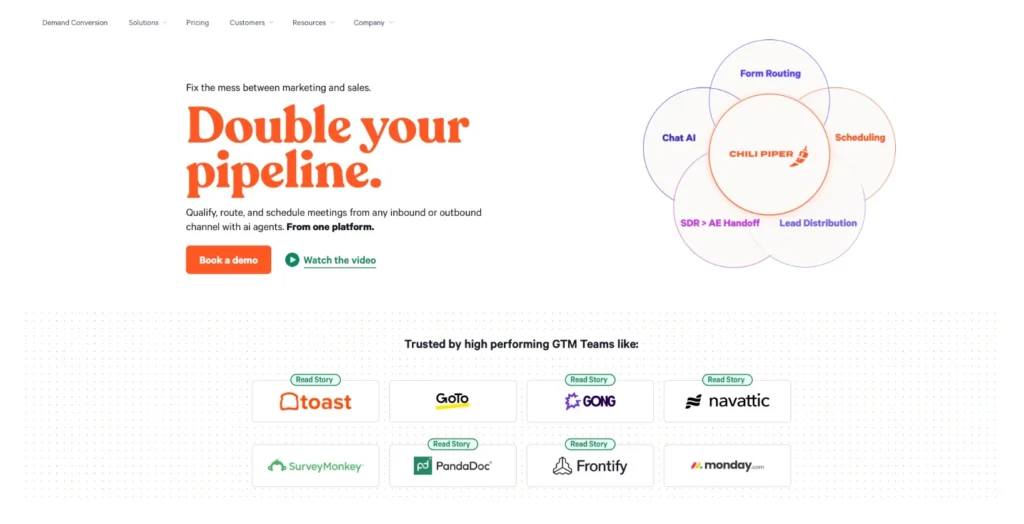
Chili Piper is a scheduling platform built around lead routing and distribution. Instead of focusing only on booking meetings, it connects scheduling directly to how leads are assigned and qualified. This makes it particularly effective in environments where speed-to-meeting and inbound conversion are critical.
The platform supports advanced routing logic, including territory-based assignment, round-robin distribution, and qualification rules. Meetings can be booked directly from web forms as part of the scheduling flow, and handoffs between teams can be automated as part of the same process.
Key Features:
- Advanced routing engine with territory, round-robin, and qualification logic
- Instant meeting booking from web forms and inbound channels
- Automated handoffs between teams
- Dashboards and tracking fields available in Salesforce
- Integration with calendars and external systems
Pros:
- Designed for high-volume inbound and speed-to-lead scenarios
- Flexible logic that can handle complex assignment structures
- Visual tools to manage and adjust routing flows
Limitations:
- Core logic runs outside Salesforce, requiring integration and sync
- Setup and configuration may require vendor guidance
- Free trial is not available
- Pricing structure can be complex, depending on modules
Pricing: Module-based pricing (e.g., Concierge ~$30/user/month) with additional platform fees.
Rating: ⭐⭐⭐⭐⭐ 4.6 on G2.
3. Calendly
Overview:
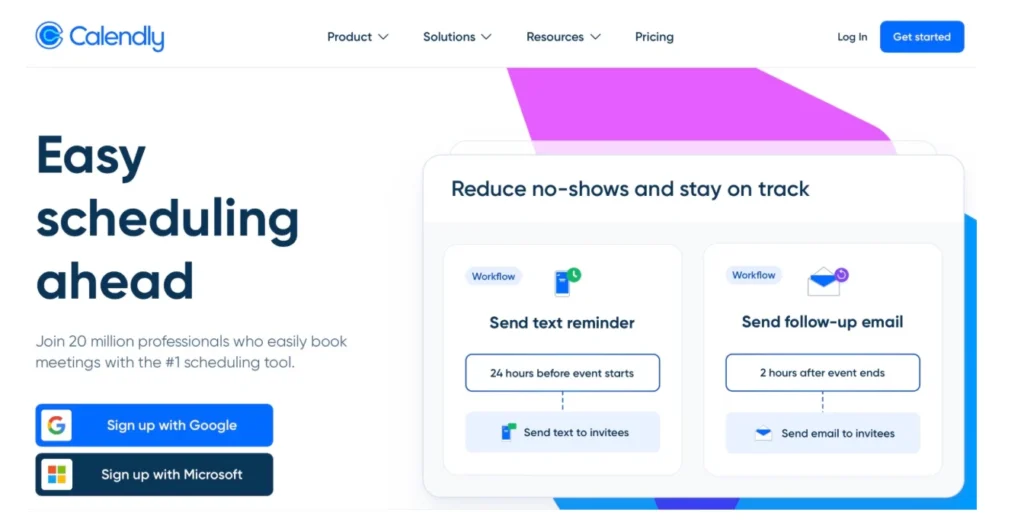
Calendly is a widely used scheduling platform that can be connected with Salesforce to manage meetings and related CRM activity. When used in Salesforce environments, it supports creating and updating records such as Leads, Contacts, Opportunities, and Events based on scheduled meetings.
It also supports routing using Salesforce data, including ownership fields and record attributes. This allows meetings to be matched to the correct Salesforce users based on predefined rules and reduces manual assignment in standard scheduling scenarios.
In practice, it works well for standard scheduling flows. However, when scheduling logic becomes more dependent on Salesforce-native automation, ownership rules, or complex routing structures, limitations become more visible compared to native Salesforce tools.
Key Features:
- Creation and update of Salesforce records from meetings
- Logging of scheduled, canceled, and rescheduled events
- Routing based on Salesforce ownership fields
- Sync of meeting activity into Salesforce records
- Calendar integration (Google, Outlook)
Pros:
- Reduces manual CRM updates for meeting activity
- Works well for common scheduling workflows
- Helps improve visibility of meeting activity in Salesforce
Limitations:
- Less flexible than native Salesforce scheduling logic
- Complex routing scenarios require careful configuration
- Functionality depends on alignment with the Salesforce data model
- Not designed as a fully native CRM automation layer
Pricing: Available only on Calendly Teams and Enterprise plans, and you need to use Salesforce Enterprise edition or higher.
Rating: ⭐⭐⭐⭐⭐ 4.7 on G2.
4. Salesforce Scheduler

Overview:
Salesforce Scheduler is the platform’s native scheduling solution designed to work directly within the Salesforce data model. It uses standard objects and aligns with Salesforce security, sharing, and automation frameworks, which makes it a natural fit from an architectural point of view.
The solution is built around rule-based assignment and resource scheduling. It is commonly used in scenarios where appointments need to be managed in a structured and controlled way inside Salesforce.
However, it requires significant configuration effort and is available only in Enterprise and Unlimited editions.
Key Features:
- Native Salesforce scheduling using platform objects
- Rule-based assignment and resource scheduling
- Support for structured appointment management
- Flow-based configuration for scheduling logic
Pros:
- Fully native to the Salesforce platform
- Strong alignment with security and data model
Limitations:
- Requires significant configuration effort to implement
- No native integration with Google or Outlook calendars
- Less flexible for fast, sales-oriented scheduling flows
- Available only in Enterprise and Unlimited editions
- No personal booking links or self-service booking pages
Pricing: Not clear, depends on the edition and may require additional payment.
5. SUMO Scheduler
Overview:
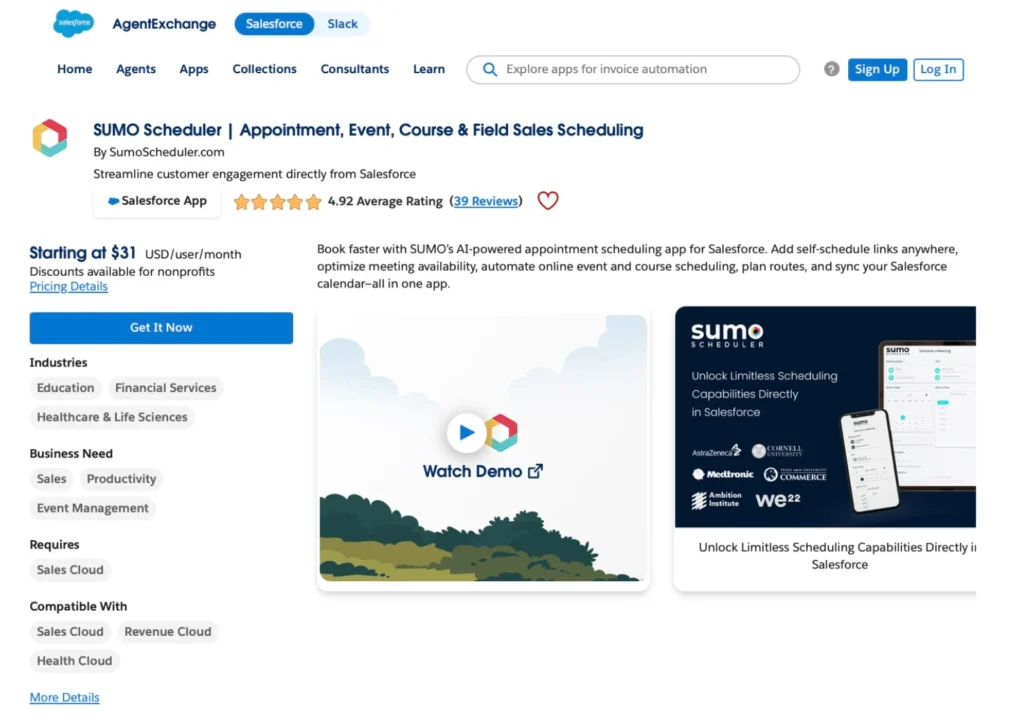
SUMO Scheduler is positioned as a native scheduling solution designed to work inside Salesforce. It supports structured scheduling scenarios where meetings, events, and appointments are managed directly within the CRM and linked to Salesforce records.
From a Salesforce perspective, it is aimed at organizations that want scheduling embedded into their CRM processes rather than handled through separate tools. The solution is typically introduced as part of a guided implementation process.
In practice, evaluation and adoption are closely tied to vendor involvement. Access to the tool and configuration is usually not self-serve, which affects how quickly teams can validate fit within their own Salesforce org.
Key Features:
- Native scheduling inside the Salesforce environment for booking links (not meeting handoff)
- Support for appointments, events, and structured booking flows
- Integration with Salesforce objects and CRM data model
- Configurable scheduling rules and assignment logic for different scenarios
Pros:
- Deep alignment with Salesforce data structure
- Suitable for structured enterprise scheduling scenarios
- Covers inbound self-service scheduling use cases, including booking links, web forms, events, courses, field sales, and payment-enabled scheduling
Limitations:
- Requires vendor-led onboarding for Salesforce implementation
- Limited ability to evaluate fully before engagement
- Setup and configuration depend on a guided process
- Less suitable for fast, self-serve evaluation and deployment
- Potential confusion between Sumo1 (integration-focused product) and Sumo for Salesforce (native Salesforce app) during evaluation
Pricing: Free trial is mentioned on AppExchange, but is not directly accessible. Pricing starts from approximately $31/user/month, but the total cost can increase significantly depending on scope and vendor-led configuration.
Rating: ⭐⭐⭐⭐⭐ 4.92/5 on AppExchange (but 3.4/5 on G2).
Comparison Snapshot: How the Tools Differ in Practice
To make the differences clearer, the table below summarizes how each scheduling software Salesforce performs across the core areas that matter in Salesforce environments. Instead of listing features, it highlights how each solution behaves in real implementation: from setup and routing to calendar handling and overall alignment with Salesforce.
In summary – Of the five tools evaluated, Booking Engine is the only one rated strong across all five areas. Chili Piper matches it on scheduling and routing but falls short on setup experience. Salesforce Scheduler and SUMO are native to the platform but lack calendar integration and self-serve onboarding. Calendly scores well on scheduling but is limited on routing and Salesforce alignment.
| Comparison Snapshot: Scheduling Software for Salesforce | |||||
|---|---|---|---|---|---|
| Area | Booking Engine | Chili Piper | Calendly | Salesforce Scheduler | SUMO |
| Scheduling | Strong✅ | Strong✅ | Strong✅ | Strong✅ | Strong✅ |
| Routing | Solid✅ | Advanced✅ | Limited | Moderate❌ | Moderate❌ |
| Calendar integration | Strong✅ | Strong✅ | Strong✅ | None❌ | Moderate❌ |
| Setup experience | Very fast✅ | Guided❌ | Long❌ | Complex❌ | Restricted❌ |
| Salesforce alignment | Native✅ | Partial❌ | Limited❌ | Native✅ | Native✅ |
| Cost | Low ✅ ($10/user/mo) | High ❌ (starts at $1,250 /Month) | Low to Medium ✅ (from $16/user/mo) | Not clear ❌Salesforce license + add on | High ❌ (from $31/user/mo) |
Scheduling tools for Salesforce differ mainly in setup effort, Salesforce alignment, and cost. Booking Engine stands out for fast setup, low pricing, a free trial, and strong Salesforce alignment, making it easy to evaluate and adopt. Chili Piper focuses on advanced scheduling use cases but comes with higher cost and more complex setup. Calendly prioritizes simplicity and affordability, but has weaker Salesforce connectivity. Salesforce Scheduler is fully native to Salesforce, though it requires more complex setup and licensing. SUMO Scheduler offers Salesforce integration, but with less clarity on pricing and overall positioning.
Final Thoughts: Choosing the Right Salesforce Scheduling Tool
There is no single meeting scheduler that fits every scenario, but the evaluation makes the trade-offs clear.
Booking Engine by NC Squared provides the most balanced combination of Salesforce-native architecture, fast onboarding, and practical usability. It is the only tool in this group that can be installed, configured, and used without vendor dependency while still supporting real-world scheduling needs.
Chili Piper is the strongest option for organizations where routing complexity and inbound conversion are the main priorities.
Calendly works well for basic scheduling in Salesforce,but requires additional configuration to align with CRM processes.
Salesforce Scheduler fits structured, service-oriented use cases but is less flexible for sales teams and requires more setup effort.
SUMO for Salesforce may be relevant for enterprise environments, though its evaluation and onboarding process require vendor involvement.
The key takeaway is straightforward: scheduling in Salesforce is not just about booking meetings. It is about how those meetings fit into data, automation, and ownership. The right tool is the one that aligns with that structure and can be implemented without unnecessary friction.