
This post is part of the Salesforce Multi-Framework series, which is part of Salesforce Headless360 — Salesforce’s initiative for building headless, framework-agnostic experiences on top of the Salesforce platform.
Salesforce just made it possible to ship a React app inside your org — accessible from the App Launcher, authenticated automatically, querying your real data. No Experience Builder. No custom domain. Just React running natively on the platform.
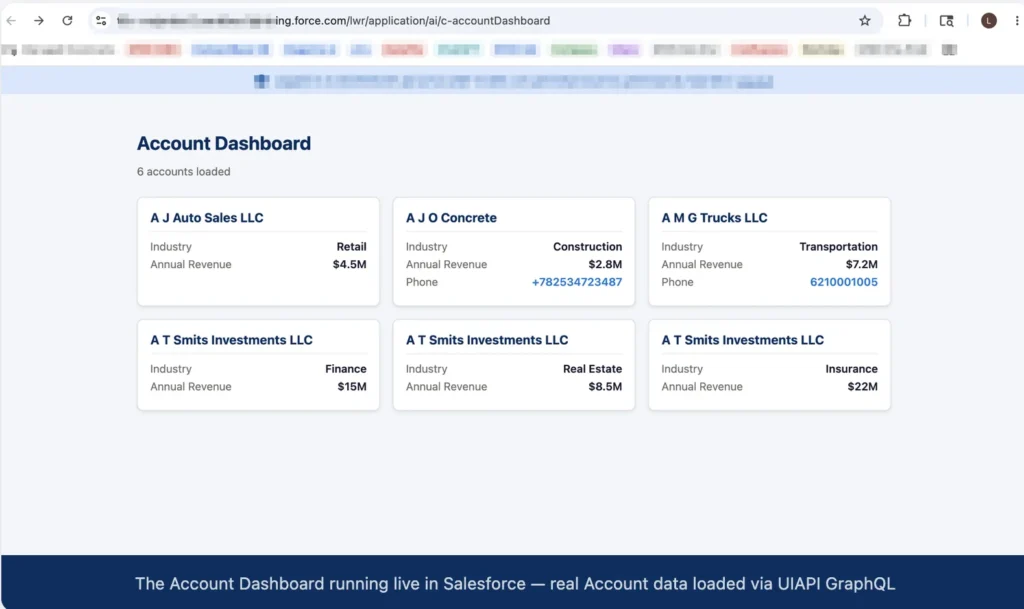
This post shows you how. We’ll build an Account Dashboard that fetches live Salesforce data via GraphQL, run it locally without an org, test it with Vitest, and deploy it — all from one project.
Full source code on GitHub: github.com/Lakshmikanth-Paruchuru/sfdc-multi-framework-react
What is a UIBundle?
A UIBundle is Salesforce’s metadata type for hosting a React app on the platform. You build your app with Vite, drop the output into a dist/ folder, and deploy it with sf project deploy — the same CLI you already use. Once deployed it appears as a standalone app in the App Launcher.
What makes it special:
- The user’s Salesforce session is automatically available — no OAuth dance
- You query data using the UIAPI GraphQL endpoint, the exact same API LWC components use
- It’s served from Salesforce’s CDN, so performance and security are handled for you
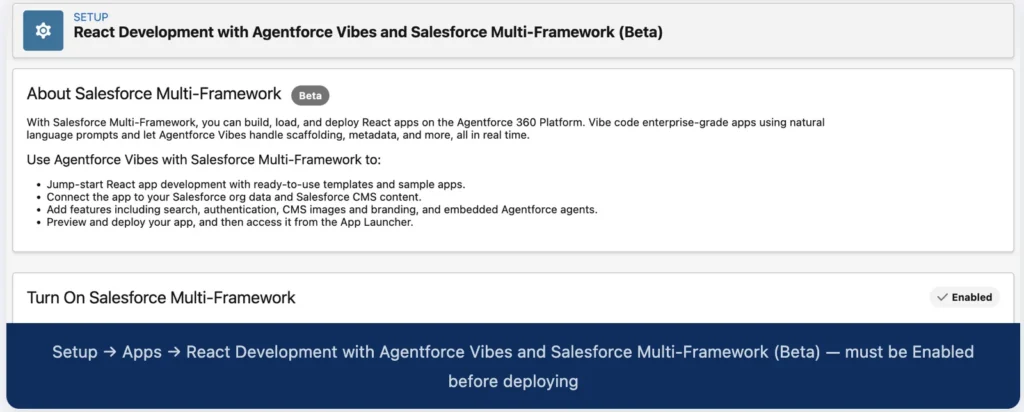
Enable this first. Go to Setup → Apps → React Development with Agentforce Vibes and Salesforce Multi-Framework (Beta) and turn on Salesforce Multi-Framework. Without it, the UIBundle metadata type isn’t recognised and your deploy will fail.
Project structure
The whole app lives under one folder. There is no router, no pages directory — just one component, one test file, and the Salesforce-specific scaffolding.
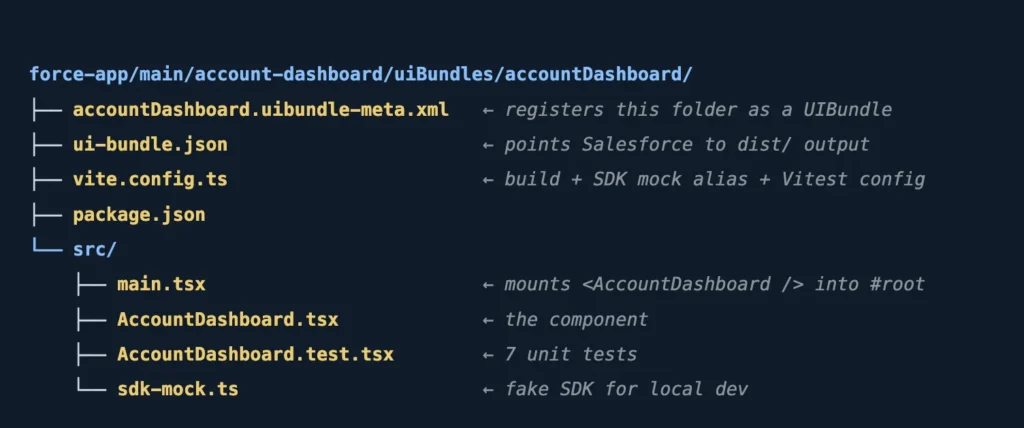
Two files you won’t see in a generic React tutorial:
accountDashboard.uibundle-meta.xml— the Salesforce metadata that registers the bundle. Without itsf project deploydoesn’t know what to do with the folder.ui-bundle.json— tells the Vite plugin where the built output lives and how to handle routing.
Querying Salesforce data from React
The component uses @salesforce/sdk-data — Salesforce’s official SDK for React apps — to run a GraphQL query against the UIAPI. If you’ve written @wire(graphql) in LWC, this is the same endpoint, just called imperatively.
const QUERY = gql`
  query AccountDashboard {
    uiapi {
      query {
        Account(first: 6, orderBy: { Name: { order: ASC } }) {
          edges {
            node {
              Id
              Name          @optional { value }
              Industry      @optional { value }
              AnnualRevenue @optional { value }
              Phone         @optional { value }
            }
          }
        }
      }
    }
  }
`;
Three things that are Salesforce-specific and will catch you out:
uiapi.querywrapper — every UIAPI GraphQL query is namespaced here. It’s not standard GraphQL.edges → node— records come back asedges[].node, not a plain array. This is the Relay connection pattern Salesforce adopted.{ value }wrappers — scalar fields return objects, not raw values.Namereturns{ value: "Acme Corp" }. Use@optionalon any field that might be null, or the whole query errors.
The component unwraps all of this into a clean flat shape before storing it in state:
const edges = result?.data?.uiapi?.query?.Account?.edges ?? [];
setAccounts(
  edges
    .map(edge => edge?.node)
    .filter(Boolean)
    .map(node => ({
      id:            node.Id,
      name:          node.Name?.value          ?? 'Unknown',
      industry:      node.Industry?.value       ?? null,
      annualRevenue: node.AnnualRevenue?.value  ?? null,
      phone:         node.Phone?.value          ?? null,
    }))
);
If you’ve used
record.fields.Name.valuein LWC wire adapters, this{ value }shape is identical. Same API, different calling convention.
Local dev without an org
Here’s something that trips up every Salesforce developer the first time: @salesforce/sdk-data needs a live Salesforce session to initialise. Run npm run dev locally and you get:
Unexpected token '<', "<!doctype "... is not valid JSONThe SDK tries to fetch its config from a Salesforce URL, gets Vite’s HTML 404 page instead, and crashes trying to parse it as JSON.
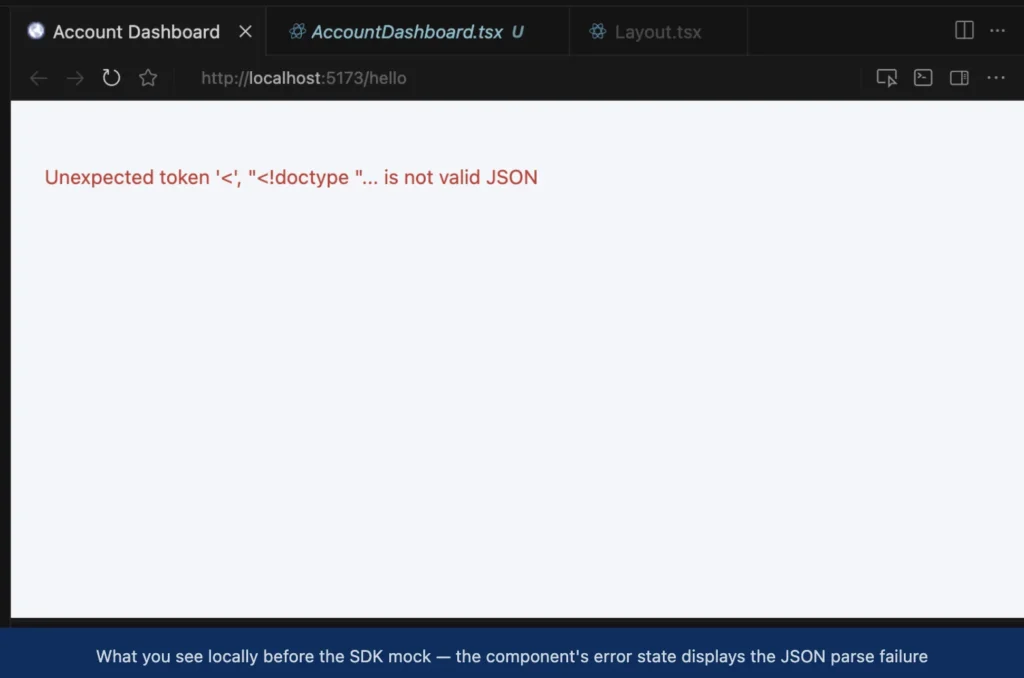
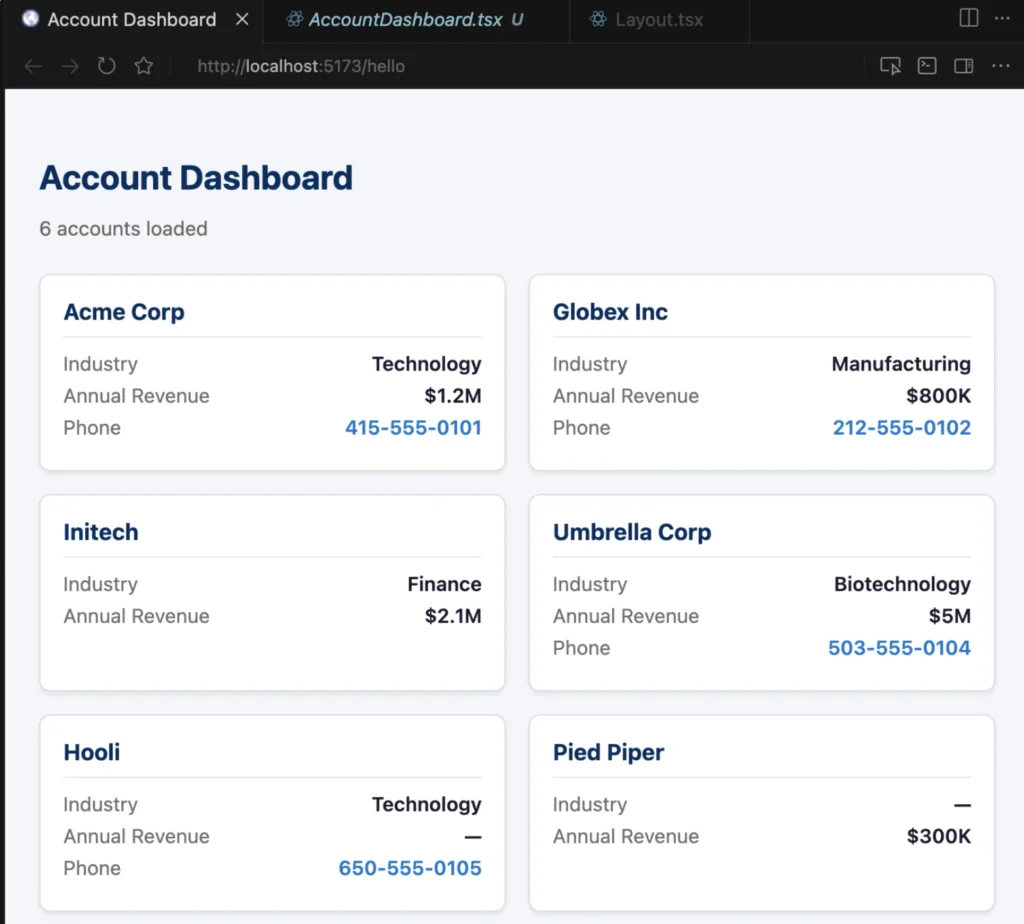
The fix is a Vite alias that swaps the real SDK for a local mock — only in dev mode. The mock returns hardcoded accounts with the exact same nested shape as the real API, so the component code is completely unaware of the swap.
// vite.config.ts — alias only in development
const alias =
  mode === 'development'
    ? { '@salesforce/sdk-data': path.resolve(__dirname, 'src/sdk-mock.ts') }
    : {};
Now npm run dev gives you 6 fake account cards at localhost:5173, exercising every line of real component code.
Testing without an org
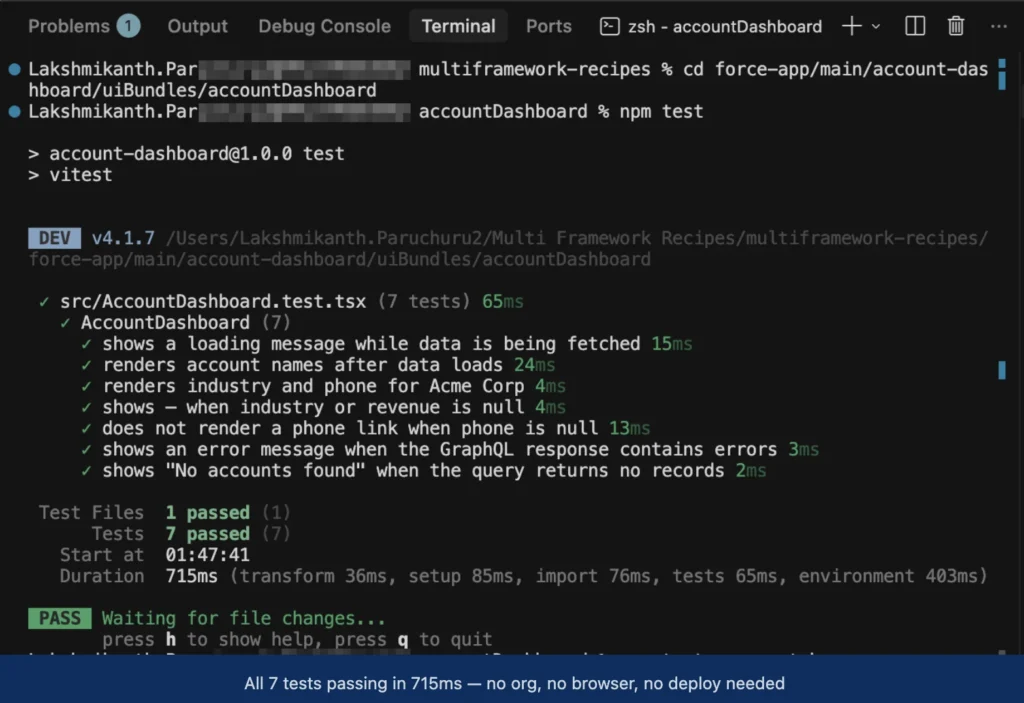
The same idea applies to tests. vi.mock() replaces the SDK module for the entire test file, then each test controls exactly what the mock returns. The component has no idea it’s not talking to Salesforce.
vi.mock('@salesforce/sdk-data', () => ({
  createDataSDK: vi.fn(),
  gql: (strings: TemplateStringsArray) => strings.join(''),
}));

// In each test, wire in whatever response you want:
(createDataSDK as Mock).mockResolvedValue({ graphql: mockGraphql });
mockGraphql.mockResolvedValue(SUCCESS_RESPONSE);
The suite covers 7 cases: loading state, success, null fields rendering as —, phone link absent when null, GraphQL error, empty result, and field-level rendering. All 7 pass in under a second.
Building and deploying
Three commands. That’s the whole workflow.
# 1. Build — Vite compiles TypeScript and bundles everything into dist/
cd force-app/main/account-dashboard/uiBundles/accountDashboard
npm run build

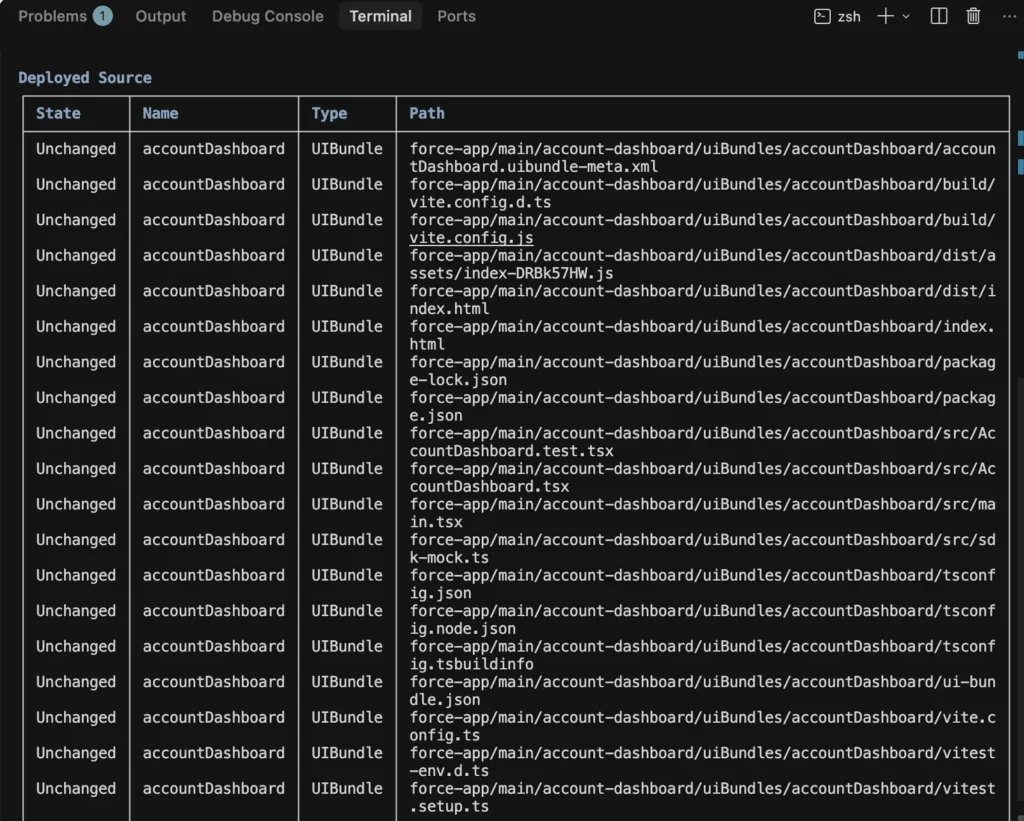
# 2. Deploy — pushes the source folder (including dist/) to Salesforce
cd <repo-root>
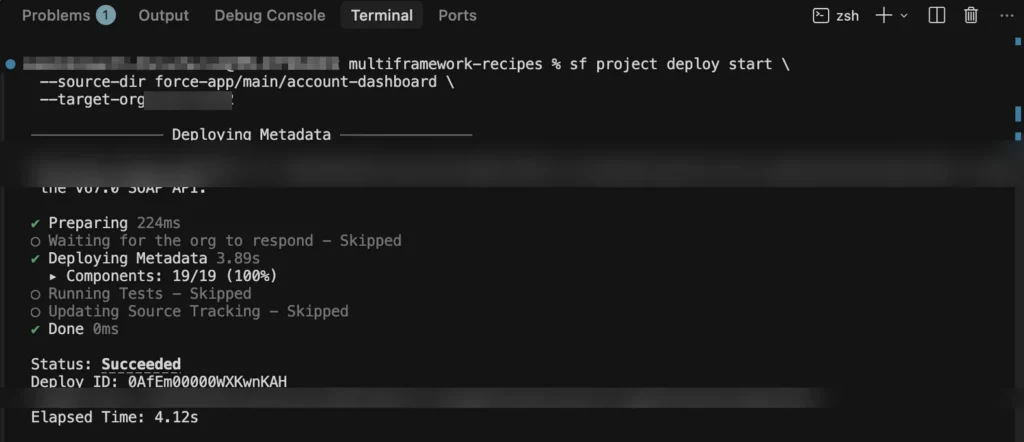
sf project deploy start \
  --source-dir force-app/main/account-dashboard \
  --target-org <your-org-alias>

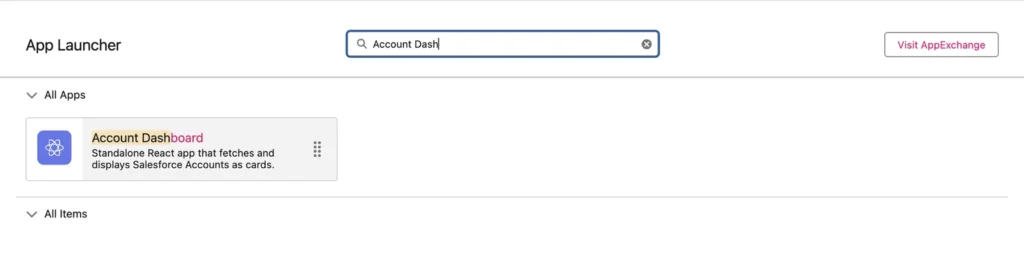
# 3. Open — search "Account Dashboard" in the App Launcher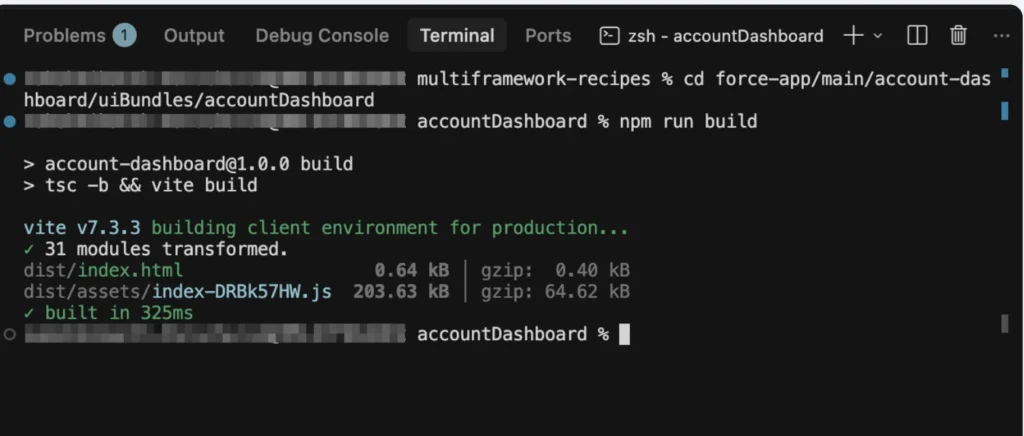
Common gotcha: if you see a 404 for a
.jsfile after deploy, you built locally but forgot to redeploy (or vice versa). Every build produces a new content-hashed filename. Always runnpm run buildthensf project deploytogether, then hard-refresh (Cmd+Shift+R / Ctrl+Shift+R).
Coming from LWC? Here’s the mental map
The shift is smaller than it looks. Every LWC concept has a direct React equivalent.
| In LWC | In React |
|---|---|
@track myProp = value | const [myProp, setMyProp] = useState(value) |
connectedCallback() | useEffect(() => { ... }, []) |
<template lwc:for={list} lwc:key="id"> | {list.map(item => <div key={item.id}>)} |
<template if:true={flag}> | {flag && <div>...</div>} |
@wire(graphql) — loading/error automatic | useEffect + 3 useState variables — you own it |
@api myProp on child | Props: <Child name={value} /> |
this.dispatchEvent(new CustomEvent(...)) | Callback prop: <Child onSelect={handler} /> |
The biggest difference: @wire gives you loading and error states for free. In React you manage them yourself with useState. More code — but also more control over exactly what the user sees.
What this unlocks
This is genuinely new territory. Before UIBundles, building with React on Salesforce meant a custom domain, an external host, or a bolted-on Experience Cloud site. Now you write React, deploy with the SF CLI, and your app lives inside the org — same authentication, same data API, same App Launcher.
Once you have this pattern working, the natural next steps are:
- Add more fields to the GraphQL query — try
BillingCityorType - Extract
AccountCard.tsxas its own component and pass props to it - Add a search input that re-runs the query with a
wherefilter - Explore other Multi-Framework recipes in the GitHub repo