


Salesforce continues to empower developers with innovative features, and the Spring ’26 release introduces a game-changing enhancement: the ability to render PDFs directly from Apex using the new Blob.toPdf() method in conjunction with the Visualforce PDF Rendering Service. This feature dramatically simplifies programmatic PDF generation, making it easier to produce dynamic, branded documents within your Salesforce applications.
What’s New in Spring ’26?
Prior to Spring ’26, generating PDFs programmatically in Salesforce required Visualforce pages or rendering pages via a third party. With the new Blob.toPdf() method, developers can now invoke Visualforce PDF rendering natively from Apex.
How Does Blob.toPdf() Work?
The Blob.toPdf() method is a static method that takes HTML markup (as a Blob) and returns a PDF document blob. It leverages Salesforce’s robust Visualforce PDF rendering engine, ensuring high-quality output that respects Visualforce’s PDF styling and formatting capabilities.
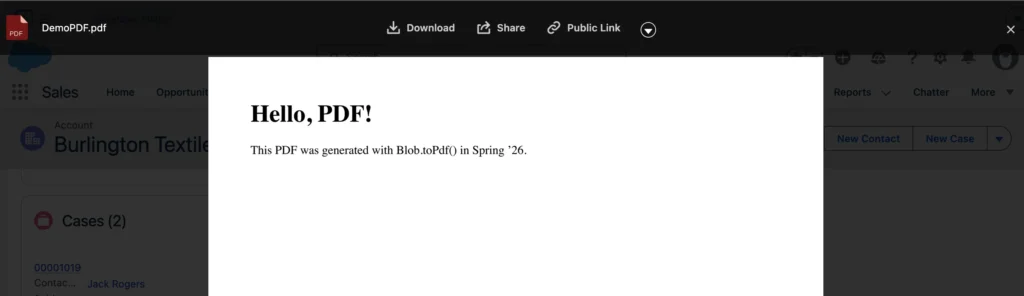
String htmlContent = '<html><body><h1>Hello, PDF!</h1><p>This PDF was generated with Blob.toPdf() in Spring ’26.</p></body></html>';
Blob htmlBlob = Blob.valueOf(htmlContent);
Blob pdfBlob = Blob.toPdf(htmlBlob);

// Now, pdfBlob contains the rendered PDF. You can attach it to records, send as email, etc.
Be sure to check the release notes for the latest information.
Generate a PDF in Salesforce with Apex Example
Here is sample code to create a PDF and attached on Account record as file
public class CreatePDF{
 public static void getPDF(){
 String htmlContent = '<html><body><h1>Hello, PDF!</h1><p>This PDF was generated with Blob.toPdf() in Spring ’26.</p></body></html>';

  Blob pdfBlob = Blob.toPdf(htmlContent);
  ContentVersion cv=new ContentVersion();
  cv.Title ='DemoPDF.pdf';
  cv.PathOnClient='DemoPDF.pdf';
  cv.versionData = pdfBlob;
  cv.isMajorVersion = true;
  cv.FirstPublishLocationId = '001Ws00004xYluyIAC'; // Dont use HardCoded Id
  insert cv;
 }
}
Learn Salesforce Apex Code Best Practices.
output
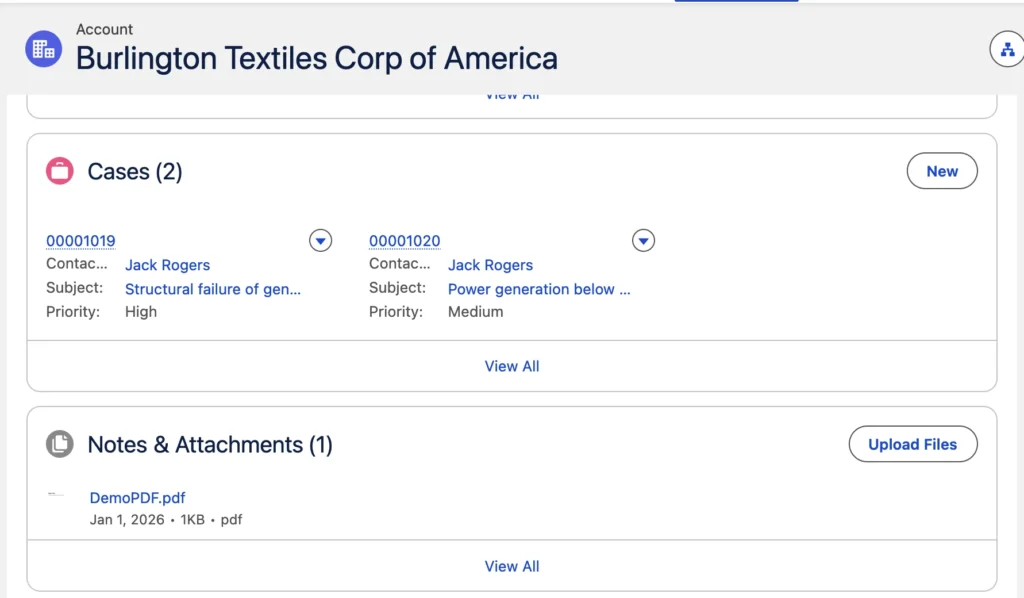
PDF output
Why Use Blob.toPdf()?
- Native PDF Generation: No more hacks or workarounds—generate PDFs directly from Apex.
- Supports Visualforce Styling: Utilize full Visualforce PDF rendering capabilities for consistent, professional documents.
- Performance: Eliminates the need to make HTTP requests, reducing latency and governor limit consumption.
- Flexibility: Easily generate quotes, invoices, reports, or any custom documents on demand.
When Should You Use It?
- Automated Document Generation: Automatically create and attach PDFs to records based on business logic.
- Batch Processing: Generate bulk PDFs in Apex batch jobs.
- Email Attachments: Programmatically attach PDFs to outbound emails from Apex.
Be among the first to explore new Spring ’26 features by signing up for a pre-release Developer Edition. Here is the link.
Conclusion
The Spring ’26 release of Salesforce’s Visualforce PDF Rendering Service with Blob.toPdf() is a welcome addition for developers seeking robust, scalable, and maintainable PDF generation. By bringing PDF rendering natively into Apex, Salesforce has removed significant friction and opened up new possibilities for document automation.
Start leveraging Blob.toPdf() today to modernize your PDF workflows and deliver seamless document experiences to your users.







Hello Amit Sir,
I would like to know whether the Blob.toPdf() method supports generating PDFs using custom font libraries, such as Source Serif 4/ Eksell Display Medium / BODIGAKO/ Book Antiqua or not .
Can i add a logo which is a static resource in my pdf ? if yes how ?
Seems CSS styling does not support properly in Apex while composing HTML content? I am having difficulties to get styling rendered in table and in other tags. Anyone else has also experienced similar issue? otherwise any help is highly appreciated. thanks.