
As a Salesforce admin, you usually know the answer you’re looking for. What slows you down is turning that question into a correct SOQL query.
You might want to find recent records, filter by ownership, or narrow results by a specific industry. Reports can help, but they aren’t always flexible. Writing SOQL directly gives you control, but it also means remembering syntax, field names, and date logic.
This is where Agentforce Vibes fits naturally into an admin’s workflow.
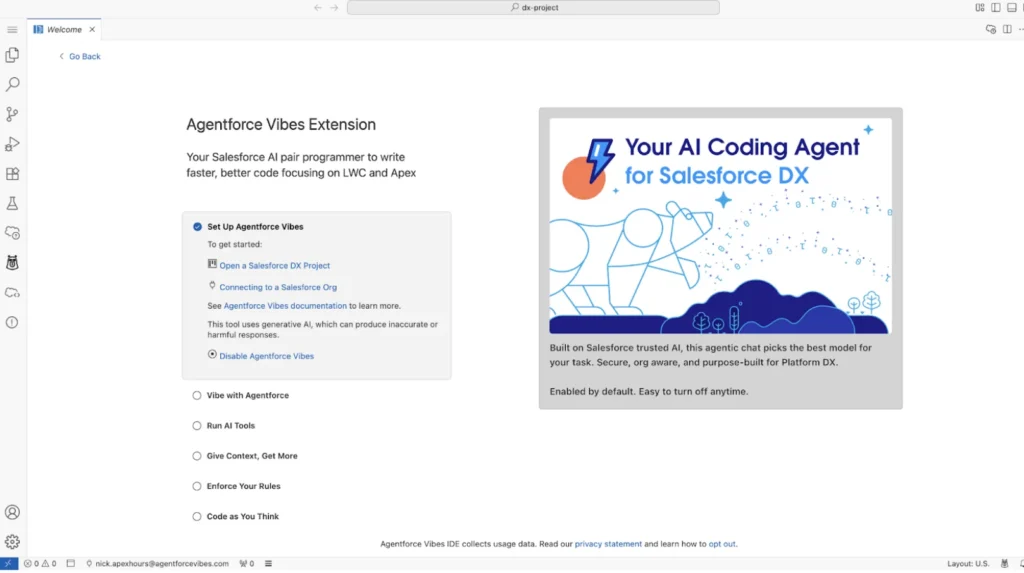
What Agentforce Vibes is designed to do
Agentforce Vibes helps admins generate SOQL using natural language. Instead of starting with SELECT and guessing fields, you start by explaining what you want in plain English.
Behind the scenes, Vibes translates that intent into structured SOQL and shows you the reasoning before anything is executed. This makes it easier to trust the result and easier to learn along the way.
How admins access Agentforce Vibes
Admins can access Agentforce Vibes in two common ways:
- As an extension in the IDE
- Directly inside the Salesforce IDE from Setup
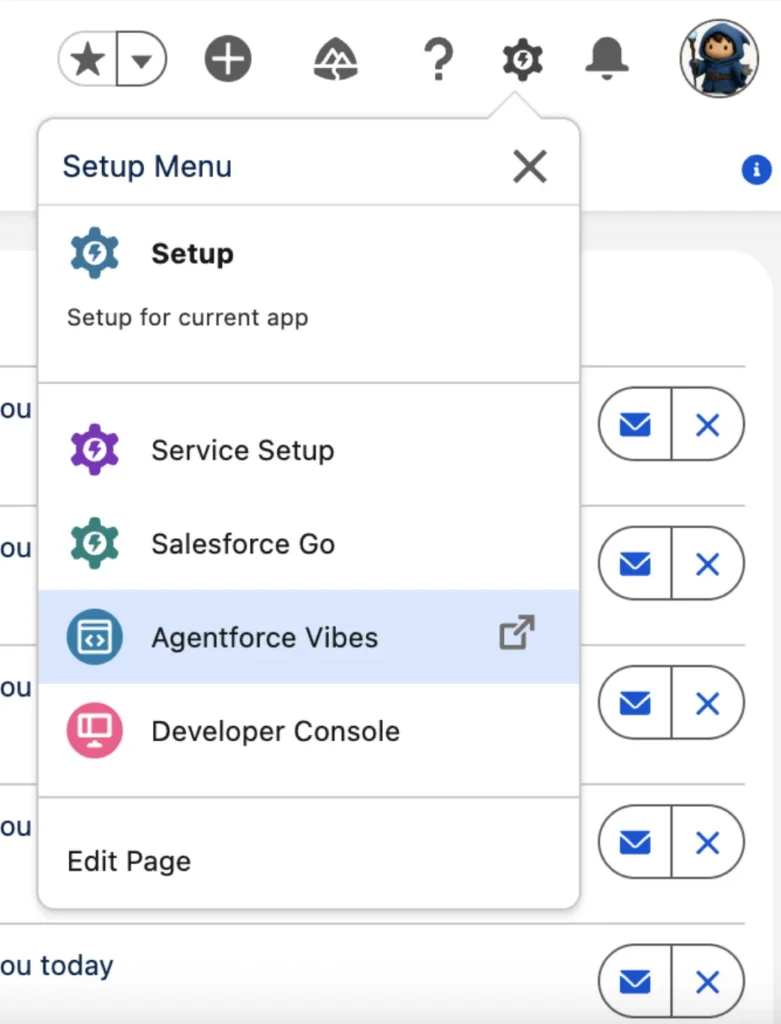
Inside the interface, the most important concept is Plan mode.
Plan mode is where Agentforce Vibes:
- Reads your request
- Understands the object and filters involved
- Identifies assumptions
- Proposes one or more SOQL options
Nothing runs automatically. You stay in control.
Why generating SOQL is hard for admins
SOQL itself isn’t the problem. The friction comes from small details:
- How is “active” defined in this org?
- Is “Sales team” a department, role, or group?
- Which date field should be used?
- What happens if the criteria changes tomorrow?
Admins often rebuild reports or rewrite queries just to answer slightly different questions. Agentforce Vibes reduces that overhead by handling the translation step for you.
How Agentforce Vibes generates SOQL
The workflow is straightforward and admin-friendly.
1. You describe the requirement
You type a natural language request instead of SOQL.
2. Vibes plans the query
It identifies:
- The correct object
- Relevant filters
- Date logic
- Ownership logic
- Sorting rules
3. Multiple options are provided
If something can be interpreted in more than one way, Vibes shows alternatives instead of guessing.
4. You review and select
You choose the option that matches how your org is structured.
5. You act
You can insert the query, run it, or refine it further.
Example: Generating an Account SOQL query
Let’s use a realistic admin example.
Natural language request
Create a SOQL query to find all active Account records in the Technology industry that were created in the last 90 days and are owned by users in the Sales team. Sort the results by created date descending.
This is a common operational question and a perfect fit for Agentforce Vibes.
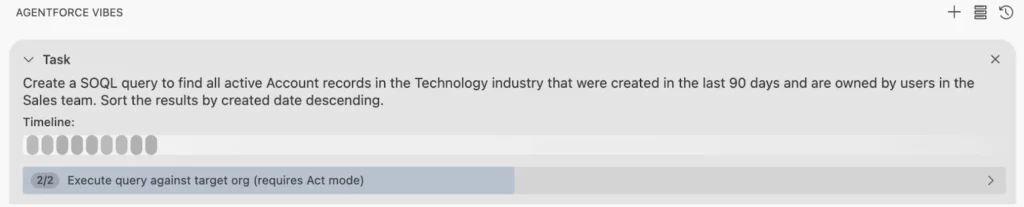
How Agentforce Vibes handles this request
When you submit this in Plan mode, Vibes breaks it down:
- Object: Account
- Active condition: Uses an active flag (standard or custom)
- Industry filter: Technology
- Date logic: Created in the last 90 days
- Ownership: Interprets “Sales team”
- Sorting: Newest records first
Because “Sales team” can mean different things in different orgs, Vibes doesn’t assume.
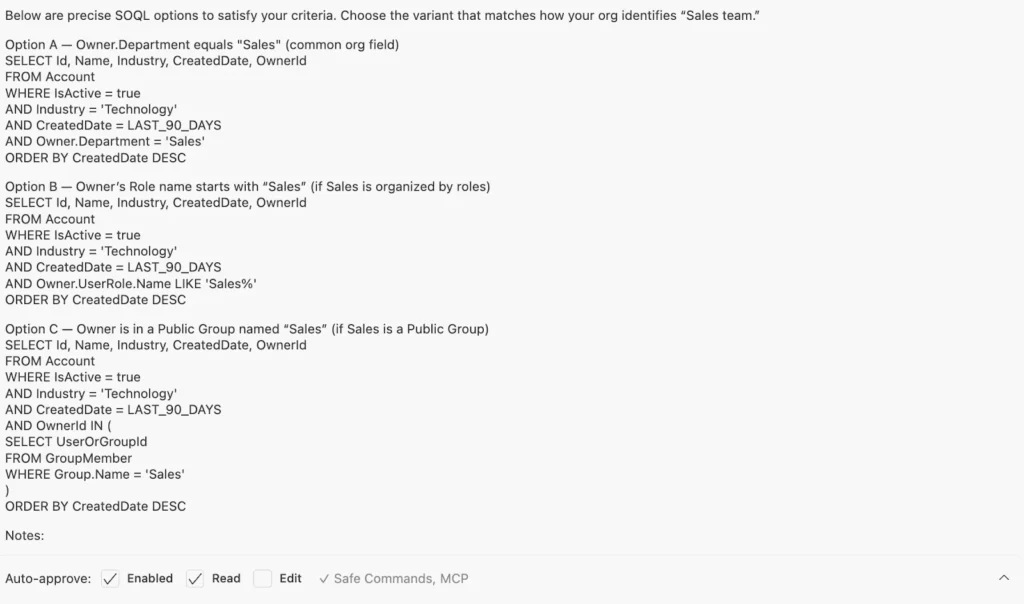
SOQL options generated
Option A: Sales defined by Department
SELECT Id, Name, Industry, CreatedDate, OwnerId
FROM Account
WHERE IsActive = true
AND Industry = ‘Technology’
AND CreatedDate = LAST_90_DAYS
AND Owner.Department = ‘Sales’
ORDER BY CreatedDate DESC
Option B: Sales defined by User Role
SELECT Id, Name, Industry, CreatedDate, OwnerId
FROM Account
WHERE IsActive = true
AND Industry = ‘Technology’
AND CreatedDate = LAST_90_DAYS
AND Owner.UserRole.Name LIKE ‘Sales%’
ORDER BY CreatedDate DESC
Option C: Sales defined by Public Group
SELECT Id, Name, Industry, CreatedDate, OwnerId
FROM Account
WHERE IsActive = true
AND Industry = ‘Technology’
AND CreatedDate = LAST_90_DAYS
AND OwnerId IN (
SELECT UserOrGroupId
FROM GroupMember
WHERE Group.Name = ‘Sales’
)
ORDER BY CreatedDate DESC
You choose the option that matches how your org defines Sales ownership.
Why this matters for admins
Agentforce Vibes doesn’t remove admin responsibility.
It removes unnecessary friction.
You still:
- Review the logic
- Validate fields
- Decide which option is correct
- Own the final result
What changes is how fast you get there and how confident you feel about the query.
Over time, this also helps admins learn SOQL patterns naturally, without memorizing syntax upfront.
Conclusion
Generating SOQL doesn’t have to start with code. With Agentforce Vibes, admins can begin with intent, review smart options, and end with a query they understand and trust. It fits naturally into real admin work, especially when reports aren’t flexible enough and answers are needed quickly. For admins who work with data every day, this is a practical shift, not a flashy one.