

In this post we will talk about how to enable Person Accounts in Salesforce Without Contacting Salesforce Support. Before the Summer,22 release, we need to call Salesforce support or raise a ticket to Enable Person Accounts in Salesforce.
Once Person Accounts is enabled, it cannot be disabled, so before you enable it, We would like you to have a deep dive and understand. Check our Person Account consideration before enable it. Now you can enable the person account with few clicks.
What is Person Account in Salesforce?
Person accounts store information by combining certain account and contact fields into one record, which allows storing information about a person in a record that can act as an account when necessary.
Enable Person Accounts in Salesforce
Salesforce makes it easier for their customers to enable Person Accounts with a few clicks, with no more hassle to connecting with support team anymore.
- Navigate to Setup.
- In the quick find box, Search for Person Account.
- Click on the View Org Impacts button to Review the impact of turning on and using person accounts.
- Select the check box “I understand that enabling this feature results in permanent changes to my Salesforce org.”
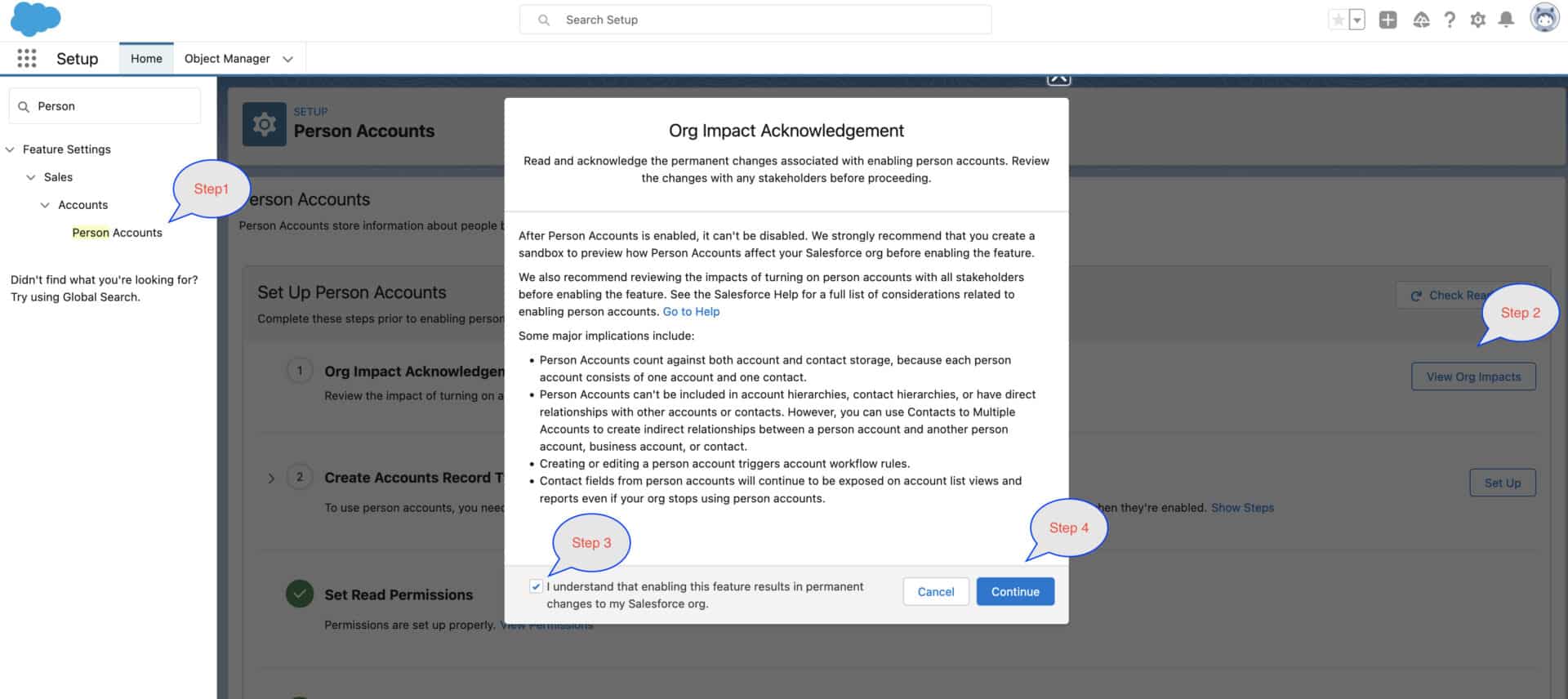
- Click on the Continue button.
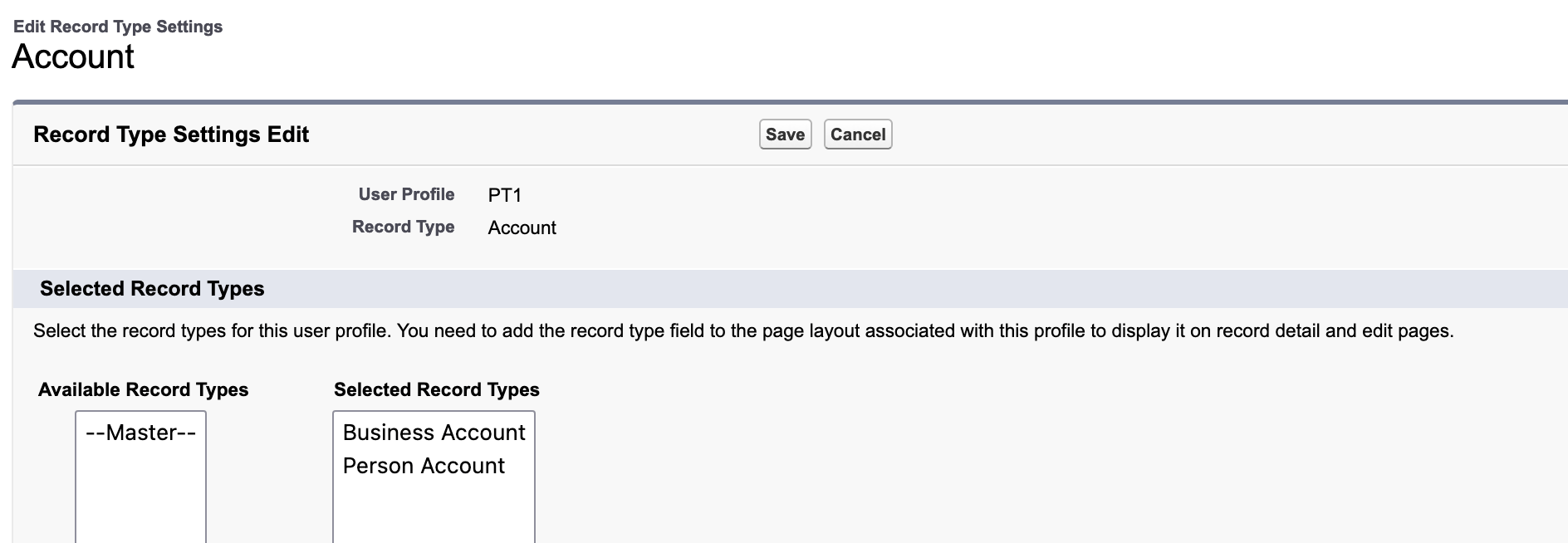
- Create Accounts Record Type :To use person accounts, you need at least one record type set up for business accounts. Salesforce creates a record type for person accounts when they’re enabled.
- Then Click on Click on Set Up from same wizard and create record type. Once you click on Setup button it will take you to account record type page from where you can create one recordType.

- Once recordType is created just refresh the page and see the status. Once all activity will done Enable person accounts button will enable. Just click on Enable person accounts button.
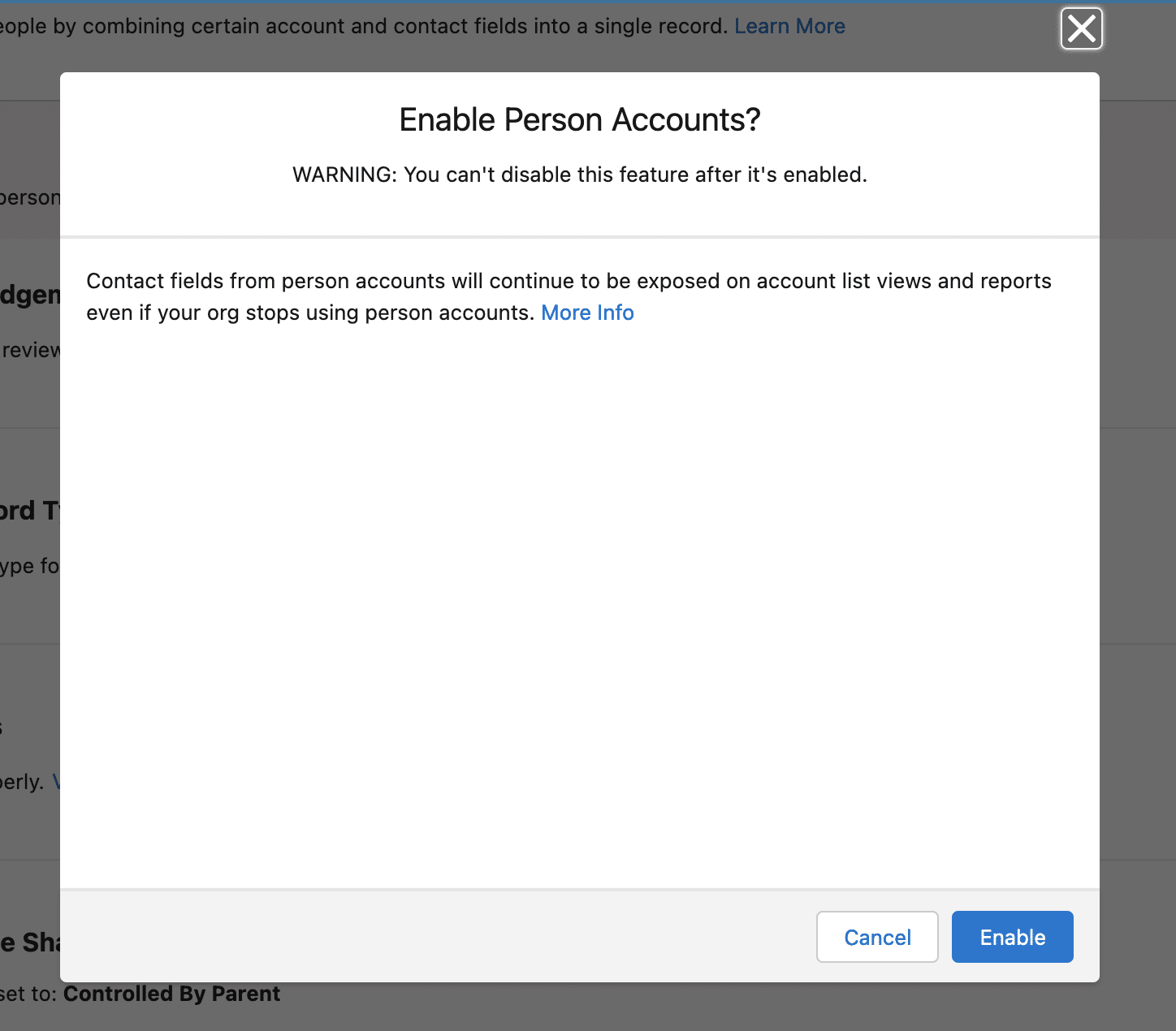
- It will give you above “WARNING” before enable it. Then click on Enable.
- Once done you will get below screen
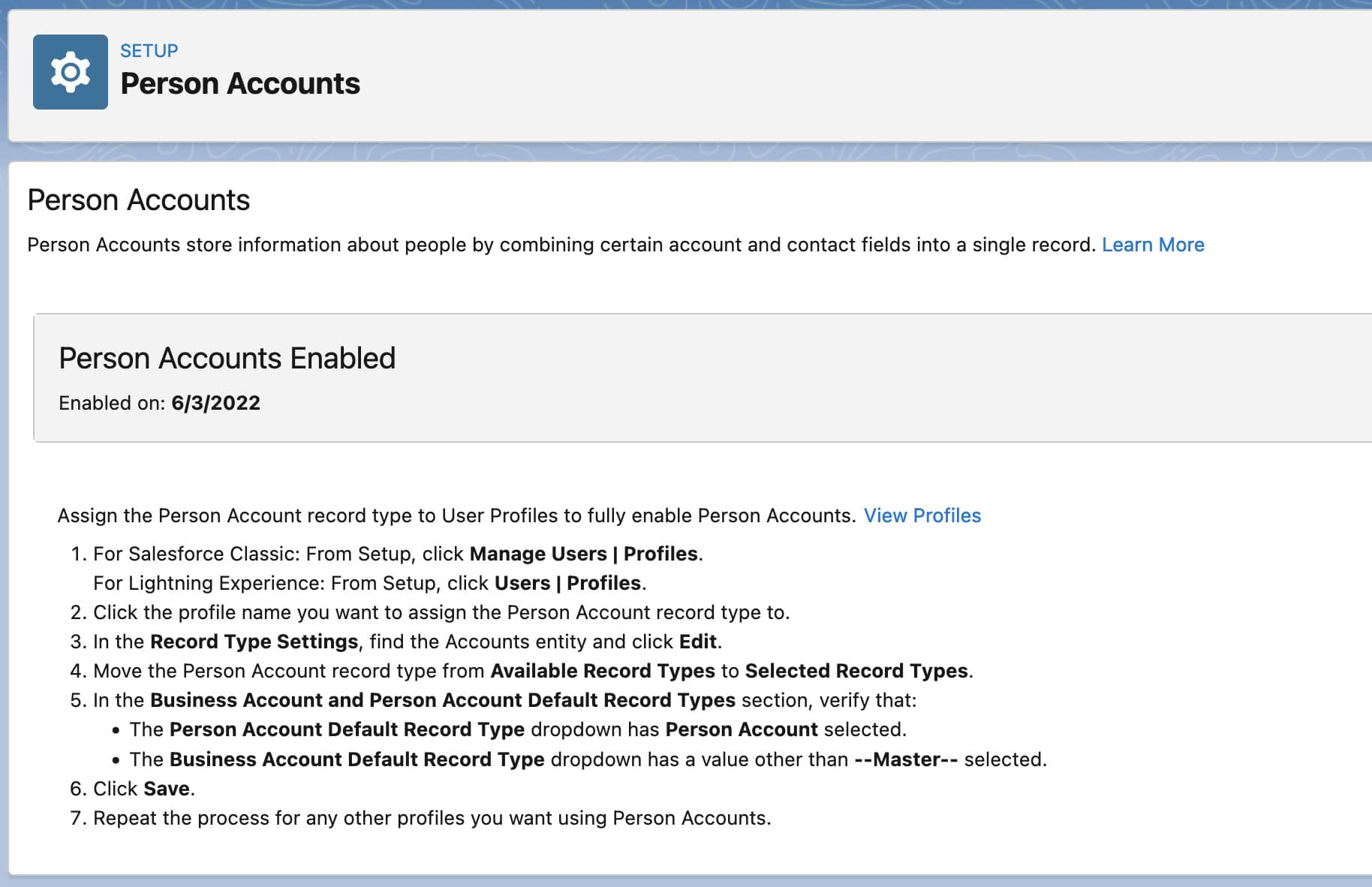
- Make sure that you’ve assigned, the person account record type to the right profile and permission set.
Prerequisites To Enable Person Accounts in Salesforce
You can enable person accounts after you meet these prerequisites.
- The account object has at least one record type.
- User profiles that have read permission on accounts have read permission on contacts.
- The organization-wide default sharing is set so that either Contact is Controlled by Parent or both Account and Contact are Private
Dont forget to subscribe our YouTube channel for more interesting sessions. Check our below post on summer 22 release.
- Custom Address Field In Salesforce
- Secure Apex Code with User Mode Database Operations
Summary
I hope enable Person Accounts in Salesforce with few click will help you to save your time while connecting with Salesforce support team.





I completed in my Salesforce course